


Take a Photo. AI Fills the Form
Your inspector takes a photo of any asset or defect. AI reads it and fills the inspection form automatically. No typing. No manual entry.

Keep mobile and fixed plant running. Operators and maintainers record pre-start defects on haul trucks, loaders, and drills, check crushers, conveyors, and pumps, capture readings and photos, and follow each defect through to a verified repair, with a history kept for every machine.
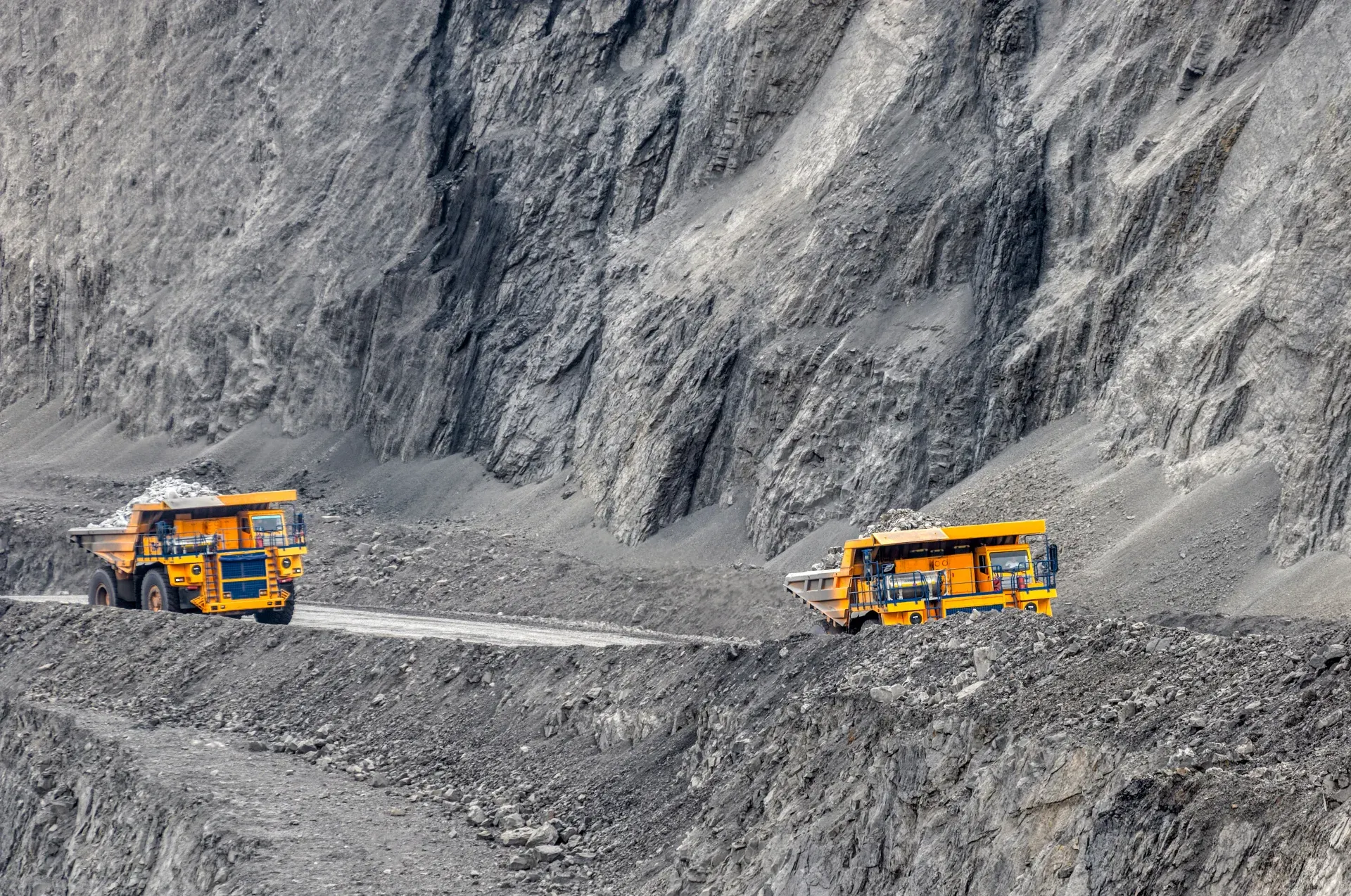
The Mining Maintenance App covers the equipment side of a mine: mobile plant such as haul trucks, loaders, dozers, and drills, and fixed plant such as crushers, screens, conveyors, pumps, and compressors. Operators record pre-start checks and defects, and maintainers complete planned inspections with readings and photos, whether underground or on the surface.
Defects are assigned with a priority and due date, and safety-critical defects are flagged so a supervisor can decide whether the machine is stood down until the fix is made. Readings such as hydraulic pressure or bearing temperature are checked against limits, and repeat defects on the same machine are easy to spot. Ground control, ventilation, and other mine safety inspections run as separate workflows.
A mining maintenance record should cover the machine or plant item, the pre-start or planned check, readings against limits, photos of defects, the operator's or maintainer's sign-off, any safety-critical flag, and corrective actions with owners and due dates.
Preventive maintenance works when service visits actually happen on time. Follow these steps for each service visit:
The app covers maintenance checks on mine equipment: pre-start checks on mobile plant, planned inspections of fixed plant, and follow-up on every defect.
Templates align to Your mine's maintenance standards, OEM service schedules, MSHA or DGMS requirements, where applicable.

Operators complete pre-start checks at the machine and report defects with photos.

Maintainers check crushers, conveyors, pumps, and compressors with readings against limits.

Defects go to maintenance with owners and due dates, and safety-critical items are flagged to supervisors.
Everything your field team records during mining maintenance, from photos and voice notes to sign-off, InspectWrk turns into a finished report automatically. Faster, more accurate, and without the retyping.
Your inspector takes a photo of any asset or defect. AI reads it and fills the inspection form automatically. No typing. No manual entry.

Inspectors speak their observations in any language. AI transcribes and fills the form in real time. Completely hands-free in the field.

The moment an inspection is submitted, a branded PDF, Excel, or CSV report generates automatically. No manual work. No waiting.

InspectWrk integrates with the tools your team already uses, including Zoho, Microsoft 365, and SAP. No double entry.

Your operations team sees completion rates, open issues, and compliance scores across all sites in real time. No chasing updates.
From data collection to compliance: see how teams use InspectWrk for every use case.
Capture field data once with digital forms that work even offline.
Explore use caseRun standardized inspections with photos, scoring, and instant reports.
Explore use caseConduct structured audits with evidence trails and pass or fail scoring.
Explore use caseLog hazards, near misses, and safety checks from any job site.
Explore use caseCatch defects early with repeatable quality checks and sign off.
Explore use caseReport incidents in the moment with photos and follow up actions.
Explore use caseInspect assets and keep condition and inspection history per asset.
Explore use caseRun preventive maintenance checks and log repairs with photo evidence.
Explore use caseStay audit ready with logged checks, timestamps, and shareable reports.
Explore use caseMining work breaks down the moment evidence leaves the form. These are the problems Mining Maintenance App is built to remove, and what the team gets back when it does.

Problem
Solution

Problem
Solution
It covers the equipment side of a mine. With InspectWrk, operators complete pre-start checks on haul trucks, loaders, dozers, and drills and report defects with photos, while maintainers inspect crushers, screens, conveyors, pumps, and compressors with readings against limits. Every defect becomes a corrective action with an owner and due date, and each machine keeps a history of checks and repairs. Ground control and ventilation inspections run as separate mine safety workflows. Supervisors can review open defects by machine, shift, and site from one dashboard.
The operator records the pre-start check on a phone or tablet at the machine, and any defect is sent to maintenance as a corrective action straight away. Safety-critical items are flagged so a supervisor can decide whether the machine is stood down until the defect is fixed and signed off. Supervisors see open pre-start defects by machine and shift, which stops problems from sitting in a paper book in the cab until the machine breaks down. Each flag is recorded with the operator's name and time.
Yes. Checks can be completed offline underground, in pits, or at remote plant, and the records are stored on the device until it reconnects. Readings, photos, and sign-offs then sync automatically, so supervisors and planners see the results as soon as the device is back in coverage. The machine's QR tag opens the right checklist even without a connection, so work is not held up by poor coverage anywhere on the mine. Operators on different shifts pick up where the last check left off.
Yes. Every check, defect, and repair is stored against the machine, so the history shows how often the same problem has come back. Dashboards highlight machines and plant items with repeat defects, overdue services, and open safety-critical issues across sites. Maintenance planners can use this to decide where a deeper repair, a component change, or a different service interval is needed, based on the records crews create every day. Reports can be exported for maintenance reviews and planning meetings with the site engineering team.
No. InspectWrk covers maintenance inspections and defect follow-up. Your CMMS or fleet management system can keep work orders, parts, labour, and machine hours. Findings from checks can be passed to a CMMS through an integration, so nothing is retyped. Many mines use InspectWrk as the record of what operators and maintainers actually checked in the field, and keep their existing systems for planning, stores, and cost tracking. Operators and maintainers get one simple tool in the field, while planners keep the systems they already use for scheduling and budgets.
Explore other inspection and audit apps for mining teams.
Last updated: