InspectWrk

Telecom and IT Infrastructure Inspection Software for Data Centers, Towers & Server Rooms.

Telecom and IT infrastructure inspection software helps data center and network teams run server room inspections, tower audits, and cooling and UPS checks offline across sites. InspectWrk replaces paper facility checklists and scattered logs with mobile workflows that capture photo evidence, readings, and named sign-offs. Managers see failed checks, overdue actions, and site condition across every data center, BTS site, and tower in real time, so a security or fire safety gap surfaces before an ISO 27001 or NFPA 75 audit, not after an outage.

Built for
Data centres, towers & rooms
Works
Offline
Reports
PDF + Excel

Templates aligned to ISO 27001 and NFPA 75.

City skyline overlaid with 5G and network connectivity icons representing IT and telecom infrastructure

Where infrastructure teams lose hours every week.

The same four gaps come up in almost every network we talk to. Here is how each one closes.

Checks recorded with no signal

Inspections at remote and rooftop sites happen with no coverage. Paper checks get re-keyed later, sometimes wrong, sometimes too late to act on.

With InspectWrkSite checks are captured offline, with out-of-range values flagged.

Facility records on paper

Server room, cooling, and UPS checks live on paper or local spreadsheets. Proving ISO 27001 and NFPA 75 conditions before an audit takes days.

With InspectWrkServer room, cooling and UPS records are in one place, ready for audit.

Missed checks cause outages

A missed cooling, power, or fire suppression check can lead to downtime. Without scheduled, evidenced inspections, problems show up after the site goes down.

With InspectWrkScheduled, evidenced checks catch power and cooling faults early.

No live view across sites

Facility and security leads cannot see which sites have overdue checks or open faults until a monthly report arrives or a site fails.

With InspectWrkLive status shows overdue checks and open faults across every site.

Every check across your sites.

Pick the work you run today. Each one starts from a ready template you can edit.

  • Data Center and Server Room Inspections

    Catch cooling and power faults before an outage.

    Includes: Cooling and UPS checks, Environmental limit flagging, Fire suppression audits, ISO 27001 and NFPA 75 evidence

    Run server room, cooling, UPS, and fire suppression inspections with offline capture and configured limits. Flag environmental or power readings outside safe ranges and assign corrective actions before an outage.

    See the Server Room Audit Checklist Template
  • Telecom Tower and BTS Site Audits

    Audit every tower the same way.

    Includes: Tower and BTS site audits, Photo-evidenced faults, Rooftop equipment checks, Distributed site tracking

    Inspect towers, BTS sites, and rooftop equipment with standardized audit templates and photo evidence. Track site condition and open faults across a distributed network from one dashboard.

    See the Telecom Site Safety Audit Checklist Template
  • Security and Compliance Assessments

    ISO 27001 evidence without the paperwork.

    Includes: Physical security audits, Access and fire safety checks, Named approvals per assessment, Audit-ready compliance records

    Document physical security, access, and fire safety assessments with named sign-offs and timestamped evidence. Produce ISO 27001 and NFPA 75 records from completed inspections instead of rebuilding them by hand.

    See the Office Physical and Environmental Security Review Template
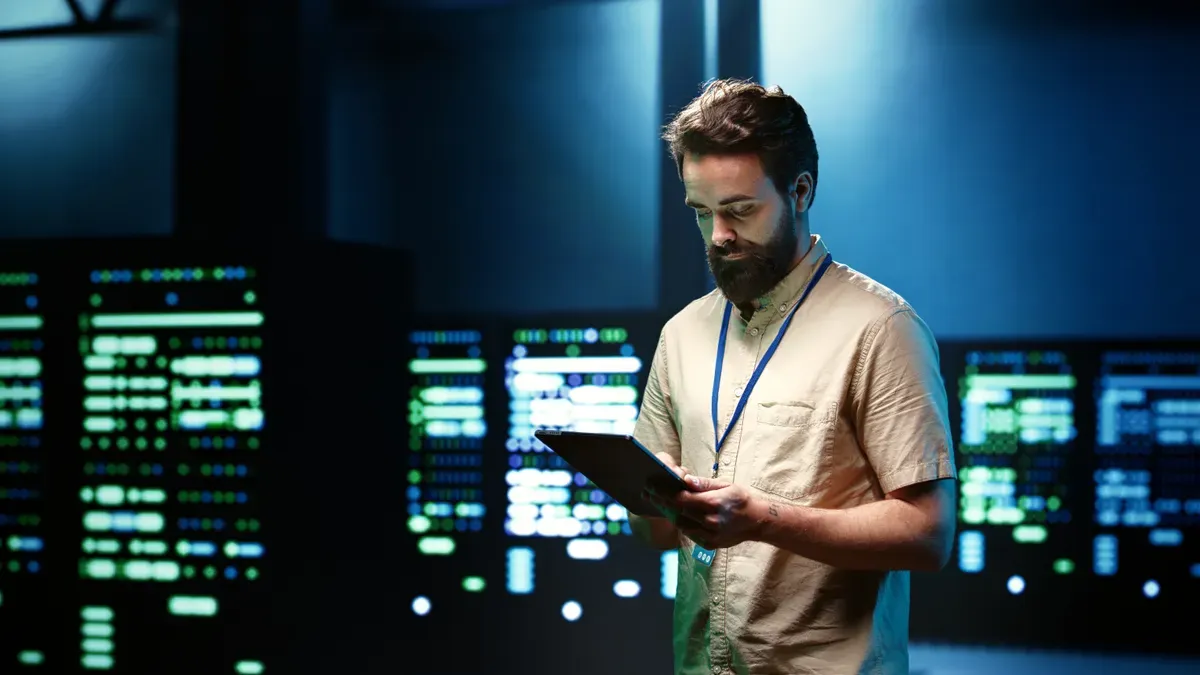
Bearded technician with a lanyard checking a tablet in a dim data center with glowing servers

Alert to fixed site, in just 5 steps.

No re-keying between the site engineer, the NOC and facilities. Each step hands over to the next on its own.

See It on Your Site
  1. Step 01

    Inspect

    The engineer records a reading out of range.

    • 31°C
    • Fail
  2. Step 02

    Flag

    A fault opens with the hall and rack.

    • DC-0138
    • High
  3. Step 03

    Assign

    Facilities takes it with a deadline.

    • Facilities
    • Due 1h
  4. Step 04

    Fix

    The cooling is fixed and a new reading recorded.

    • 26°C
    • In range
  5. Step 05

    Verify & report

    The NOC confirms it and the record is filed.

    • Closed
    • PDF

Every step is time-stamped and signed, so the audit trail builds itself.

How does data center inspection software keep distributed sites audit-ready?

IT and telecom infrastructure runs across data centers, server rooms, BTS sites, and towers, often at remote or rooftop locations with limited connectivity. Cooling, power, and fire suppression checks are recorded on paper or local spreadsheets, so proving that each site met ISO 27001 and NFPA 75 conditions before an audit takes days. A missed check can lead to an outage that is found after the site goes down, not before. Data center inspection software captures structured, evidenced checks offline, at the rack and the site.

With InspectWrk, technicians run a server room inspection, data center audit, cooling system check, UPS inspection, fiber inspection, network infrastructure check, and telecom tower inspection on a mobile device with no connectivity, and configured limits flag any temperature, humidity, or power reading outside the safe range the moment it is recorded. On-device AI flags visible issues like overheating signs, corrosion, and damaged cabling from photos, and each record is GPS-tagged to a data center, BTS site, or tower with named sign-offs on physical security and fire safety steps.

Because inspection data is structured and centralized, records align to ISO 27001, ISO 20000, NFPA 75 fire safety, TEC, TRAI, and DoT requirements, PCI DSS, and data protection laws including DPDP, GDPR, and HIPAA. The platform tracks which inspections are complete, overdue, or failed, so a gap is visible before it causes an outage or an audit finding, and site condition trends support risk-based scheduling across the network.

If you are comparing inspection platforms for distributed facilities, it helps to see how offline capture and proof differ.


Compare Inspectwrk and Safetyculture for Facility Inspections

AI turns every inspection into a ready report.

Submit an inspection and AI writes the PDF report and Excel sheet for you. No admin, no waiting.

01 / 05Photo to formVISION AI

Take a Photo. AI Fills the Form.

Your inspector takes a photo of any asset or defect. AI reads it and fills the inspection form automatically.

No typing. No manual entry.

02 / 05Voice to textVOICE AI

Speak. AI Writes It Down.

Inspectors speak their observations in any language. AI transcribes and fills the form in real time.

Completely hands-free in the field.

03 / 05Auto reportsREPORT AI

AI Writes the Report. PDF and Excel, Instantly.

The moment an inspection is submitted, AI summarises the findings and builds a branded PDF report and an Excel sheet for you.

No manual reporting. No copy-paste.

04 / 05IntegrationsINTEGRATIONS

Connect Your Existing Tools.

InspectWrk integrates with the tools your team already uses, including Zoho, Microsoft 365, and SAP.

No double entry.

05 / 05Live dashboardLIVE DATA

Live Dashboard. Every Site. Always On.

Your operations team sees completion rates, open issues, and compliance scores across all sites in real time.

No chasing updates.

See how operations teams standardize work in the field.

Real-world inspection workflows built around consistency, evidence and faster follow-up.

Explore Customer Stories
Case study 01 of 06

Start with a IT and telecom template.

Free checklists and apps built for data centres and networks. Use them as they are or change any field.

  • Technician with a lanyard holding a tablet in a data center aisle of server racksData CentreFree Template

    Server Room Inspection

    Use this Server Room Inspection checklist to verify key requirements, document findings, and track corrective actions.

  • Telecom engineer in an orange hard hat and mask checking a tablet below a cell towerData CentreFree Template

    Cooling Infrastructure Audit Checklist

    Use this Cooling Infrastructure Audit Checklist to audit cooling infrastructure audit, document compliance gaps with photos, assign corrective actions, and verify closure. Field and NOC teams complete it on mobile, on-site, and operations managers see the dashboard update in real time.

  • Woman in a white hard hat with headlamp and safety glasses checking an open electrical panelData CentreFree Template

    UPS Service Checklist

    This UPS service checklist helps technicians document site and UPS location, UPS type and model, visual inspection notes, battery condition ...

Questions from infrastructure teams

See it on your own site checks in a 30-minute demo.

Book a Free Demo

Yes. The InspectWrk mobile app is fully functional offline. Technicians complete server room, cooling, UPS, and tower inspections at remote and rooftop sites with no signal, and everything syncs automatically once the device is back in coverage. This matters for BTS sites and towers that sit outside reliable network areas or inside shielded facilities. Teams no longer record checks on paper and re-key them later, where errors creep in. The inspection is captured once, at the site, with GPS tags and timestamps intact. When the device reconnects, the operations team sees the same data the technician recorded, with nothing lost and nothing rewritten, which keeps site records accurate and audit-ready.

InspectWrk lets you configure safe ranges for temperature, humidity, UPS load, and power readings on each check. When a technician records a value outside the range, the platform flags it immediately and can alert the responsible person, so a cooling or power problem is acted on at the site rather than discovered after an outage. Each reading is timestamped and GPS-tagged to the data center, room, or tower. Because the limits sit inside the checklist, the technician does not have to remember every threshold, and the same rules apply consistently across every site and shift. This helps catch the drift that leads to overheating or power events before equipment is affected.

Yes. InspectWrk turns inspection data into compliance records instead of leaving teams to assemble them by hand. Server room, cooling, fire suppression, and security checks are captured on templates aligned to ISO 27001 and NFPA 75, with photos, readings, GPS, and timestamps on every record. Because the data is centralized, an audit report is generated from completed inspections rather than rebuilt from local spreadsheets. The platform also tracks which inspections are complete, overdue, or failed, so a gap is visible before an auditor raises it. Auditors get a consistent, evidenced trail per site and system rather than a folder of paper forms, which shortens audit preparation and reduces the risk of a finding.

InspectWrk's on-device AI flags visible issues like overheating signs, corrosion, damaged cabling, and improper equipment condition from inspection photos, and it runs on the phone so technicians get suggestions at the site without uploading images. The technician confirms or overrides each suggestion, keeping engineering judgement in control. Because detection is consistent, equipment audits stay the same across sites and technicians, which reduces the variation you get when condition calls depend on individual experience. Findings feed condition trends per site and asset, so a developing problem gets caught before it causes downtime. Custom models can be trained for your specific equipment to improve accuracy on the hardware you actually run.

Yes. InspectWrk is built for infrastructure spread across many sites. Each data center, BTS site, and tower carries its own inspection history, condition trend, and schedule, and dashboards roll status up across the whole network so facility and security leads see overdue checks and open faults without waiting for site reports. Recurring cooling, power, and fire suppression checks are scheduled, and the platform shows what is due, overdue, or missed. Critical faults trigger immediate alerts with escalation chains, so a serious issue at one site reaches the right person quickly. This keeps inspection quality and scheduling consistent whether you run a few sites or a large distributed network.

Explore other industries.

Every industry gets its own checklists, apps and workflows, all on the same platform.

Updated