

Facilities Management
Site Inspection Checklist
Standard site-level inspections for construction, safety, and compliance. Capture conditions, photos, and follow-ups in one place.
41,000+GET

Digital checklists in InspectWrk replace paper and PDF checklists for inspections and audits, from site walks and snagging rounds to HSE audits. Operations leaders build a checklist once, with required items, scoring, and conditional questions, and frontline teams complete it on a phone or tablet, offline where needed. Every failed item becomes a tracked action with photo evidence, so findings are followed through instead of filed.

Workflows that teams usually run alongside this one.
Paper checklists are easy to lose and leave gaps in your audits. Digital checklists turn inspections into a structured, real-time process: capture observations instantly, flag issues on the spot, and track follow-ups to closure. Facilities and manufacturing teams use checklist templates so leaders see what's done and what's open without chasing paper or email.

Build inspection and audit checklist templates in minutes. Add conditional logic so forms adapt to responses, guiding users through the right steps and ensuring nothing is missed. Convert paper forms or spreadsheets into mobile-friendly digital checklists without coding.
The problem
The solution

Equip technicians and inspectors with an intuitive, mobile-first checklist app. Capture photos and notes, even offline. Sync real-time data with your systems so issue resolution and preventive actions stay in sync from field to back office.
The problem
The solution

Manage routine inspections and safety compliance with digital checklists. Schedule checklist templates by date, site, or asset so routine checks happen on time. Completion and failure trends show which areas carry the most risk.
The problem
The solution
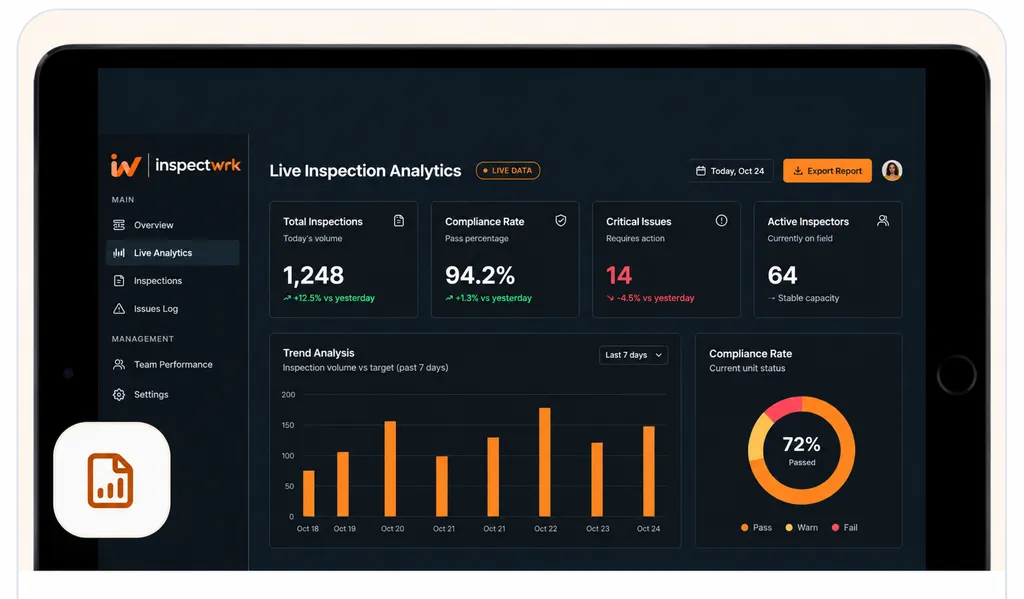
Capture issues instantly from your digital checklists. Flag anomalies, trigger corrective actions, and auto-generate audit-ready reports so every finding has a record from capture to closure. Corrective actions are assigned and tracked to closure with proof.
The problem
The solution
Hand-picked digital checklist templates for safety, quality, and compliance. Customize them in the builder before you deploy.
Standard site-level inspections for construction, safety, and compliance. Capture conditions, photos, and follow-ups in one place.

Internal and external audits with scoring, evidence, and corrective actions. Full audit trail and report generation.

Safety inspections with hazard identification, corrective actions, and compliance reporting. Offline capture and evidence.

Catch defects before handover and generate punch list reports in minutes. Room-by-room finish checks, evidence, and corrective actions.
Use these apps to run this workflow in the field.

by InspectWrk
Site-level inspections for construction, safety, and compliance.

by InspectWrk
Execute internal audits with standardized apps, findings, and corrective action workflows.
by InspectWrk
Manage workplace safety inspections with offline mobile forms, photo evidence, corrective actions, and audit-ready reports.

by InspectWrk
Build custom forms with logic, required fields, and structured submission workflows.

by InspectWrk
Run facilities inspections on phones and tablets with offline forms, photo evidence, and instant reports.
Send inspection data to the systems you already run through the REST API, webhooks, and exports. Custom integrations such as SAP, Oracle, or a CMMS are part of the Enterprise plan.

Digital checklists are mobile or web-based forms that replace paper checklists for inspections, audits, and routine tasks. They guide users step-by-step, capture photos and evidence, work offline, and sync data so leaders get real-time visibility and every finding can be turned into a tracked corrective action.
Yes. InspectWrk's checklist app works fully offline on iOS and Android. Complete digital checklists, capture photos and notes, and log findings without connectivity. Data syncs automatically when back online, so inspections and audits continue in remote sites, basements, or low-signal areas without losing data.
Yes. Use the drag-and-drop builder to create or edit checklist templates without code. Add required fields, pass/fail or scoring, conditional logic, and photo or signature requirements. Start from pre-built inspection and audit templates and adapt them to your process, or build from scratch.
Assign checklist templates to sites, teams, or individuals. Role-based access ensures each user sees only their assigned checklists and reports. You can invite vendors or contractors with limited access so they complete their assigned checklists without seeing your full data. Scheduling and reminders keep everyone on track.
Yes. Every checklist item can require or allow photo capture. Photos are timestamped and can include GPS so you have proof of where and when each response was recorded. This supports compliance, client handover, and corrective action verification.
Yes. Completed digital checklists generate branded PDF reports with results, photos, scores, and sign-offs. Reports can be sent by email or downloaded. Schedule automated report delivery to clients or stakeholders so inspection reporting doesn't rely on manual export.
When a checklist item fails or an issue is logged, InspectWrk can automatically create a corrective action with an assignee and due date. You track status in one place, get reminders for overdue items, and run re-inspections to verify closure. The full path from finding to resolution is stored for audits and compliance.
InspectWrk connects to ERP and CMMS platforms, BI tools such as Power BI and Tableau, and other systems through its REST API, webhooks, and Zapier. Custom integrations, such as SAP or Oracle, are part of the Enterprise plan. Checklist data can flow to your existing systems so audit and inspection reporting feeds your larger compliance and operations processes without duplicate entry.

