

Facilities Management
Site Inspection Checklist
Standard site-level inspections for construction, safety, and compliance. Capture conditions, photos, and follow-ups in one place.
41,000+GET

Field data collection in InspectWrk replaces the paper forms and spreadsheets that get retyped after every visit. Technicians, surveyors, and site staff fill in mobile forms with required fields and validation rules, offline where needed, and each submission syncs with a timestamp and location. The office gets one clean set of records for dashboards, reports, and exports, without anyone rekeying a clipboard at the end of the week.

Workflows that teams usually run alongside this one.
Looking for software built around this workflow? Explore Data Collection Software
Paper and spreadsheets mean double entry and delayed reporting. InspectWrk centralizes field data in one place, works offline, and turns raw data into dashboards and reports so inspections, surveys, and audits feed one source of truth.

Paper forms and Excel spreadsheets force double entry and version chaos. Field teams need one digital form that captures the right data, validates on the spot, and syncs to a single source of truth.
The problem
The solution

Remote sites and spotty connectivity shouldn't block data collection. Your team should be able to complete forms and attach photos without a signal, with data syncing automatically when back online.
The problem
The solution
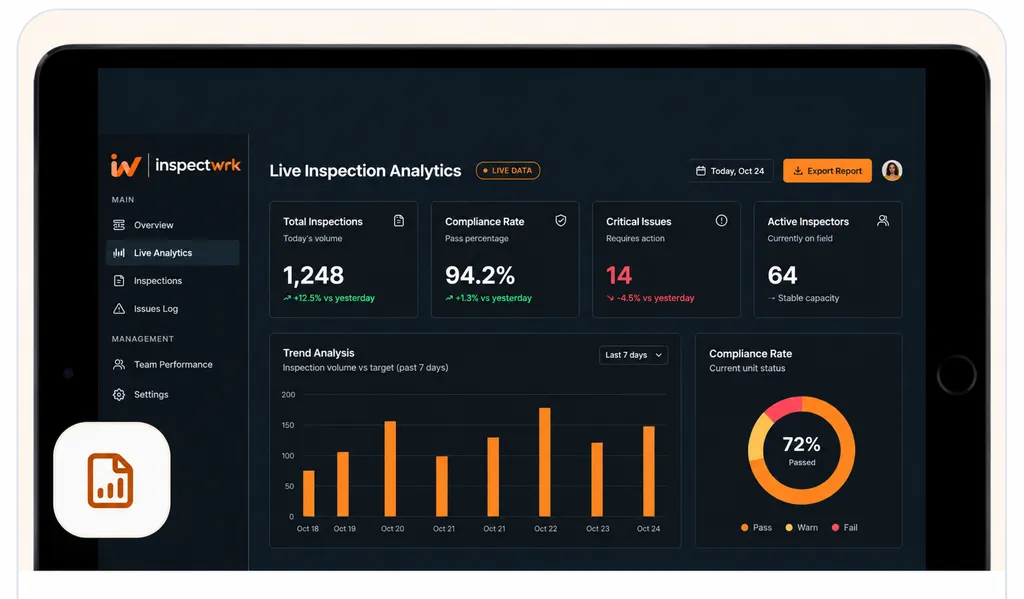
Collected data should flow into dashboards and reports without manual export or copy-paste. Automate summaries, trends, and exports so managers and clients see the right metrics on demand.
The problem
The solution
Hand-picked templates for surveys, condition records, and field forms.
Standard site-level inspections for construction, safety, and compliance. Capture conditions, photos, and follow-ups in one place.

Use this condition survey template to assess a property's physical condition, identify structural flaws, and provide recommendations.

This inventory audit checklist helps retail teams standardize store operations and reduce shrink. It covers weekly and daily inventory folder ...

Inspect assets and equipment: condition, location, photos, and maintenance history. Track condition over time.
Use these apps to run this workflow in the field.

by InspectWrk
Build custom forms with logic, required fields, and structured submission workflows.

by InspectWrk
Run asset condition assessments with structured scoring, photo evidence, and prioritized remediation actions.

by InspectWrk
Run dilapidation surveys with structured apps, condition scoring, and shareable lease-end records.

by InspectWrk
Digitize automated inspection reports workflows with forms, evidence capture, and automated reporting.
Send inspection data to the systems you already run through the REST API, webhooks, and exports. Custom integrations such as SAP, Oracle, or a CMMS are part of the Enterprise plan.

List the forms that get retyped into a spreadsheet after every visit, such as condition surveys, meter readings, or site audits, and convert the busiest one first. Turn each column of the old spreadsheet into a form field of the right type: a number for readings, a dropdown for condition grades, a photo for evidence. Add required fields and validation rules so a missing reading or an impossible value is caught on site, not at month end. Field staff submit on their phones, offline if needed, and each record syncs with a timestamp and location. Once the dashboard and exports show the same figures as the old spreadsheet, stop the retyping and move the next form across.
Yes. InspectWrk's drag-and-drop form builder supports text, numbers, dropdowns, checkboxes, photos, signatures, and conditional logic so forms adapt to previous answers. You can start from templates for inspections, surveys, or audits and customize them for your data collection workflow. Required fields and validation rules ensure data quality at capture time, and all submissions are stored with timestamp and location for a complete field data record.
Yes. Complete forms and capture photos in InspectWrk without connectivity. Data is stored locally on the device and syncs automatically when back online. When several users or devices edit the same record, changes are merged where possible and any conflicting edit is flagged for a manager to review, with a full audit trail preserved. This makes InspectWrk suitable for remote sites, underground locations, and any environment where connectivity is unreliable, so field data collection never stops when the network does.
Use the InspectWrk API or built-in integrations (e.g. Zapier, webhooks) to push collected field data to your CRM, ERP, or data warehouse. Back up reports to your own cloud storage, such as Amazon S3, or trigger a webhook the moment a form is submitted. This keeps your systems up to date without manual re-entry and allows field data collection to feed dashboards, reporting, and downstream processes across your organization. Many teams use this to retire the manual step of copying from spreadsheets or email into their core systems.
Report retention periods are configurable, so you can keep inspection reports for as long as your policy or regulator requires. Reports can also be backed up to your own cloud storage for multi-year records. If you expect high volumes, such as thousands of submissions a month, or need long retention for compliance, share those numbers when you book a demo so storage and retention are scoped into your plan from the start rather than discovered later.

