

Take a Photo. AI Fills the Form
Your inspector takes a photo of any asset or defect. AI reads it and fills the inspection form automatically. No typing. No manual entry.

Attach live, timestamped, geotagged photos to every check and issue, so inspections are backed by proof rather than assurances.
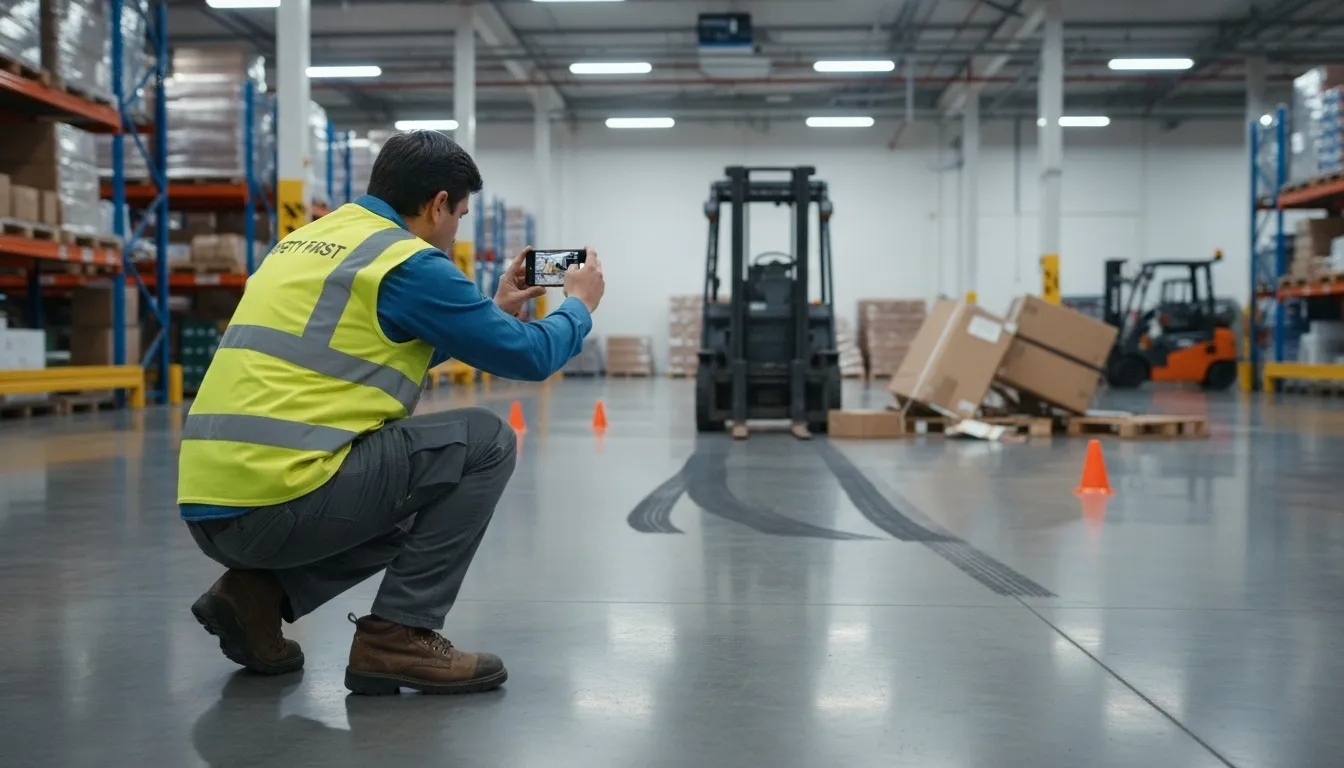
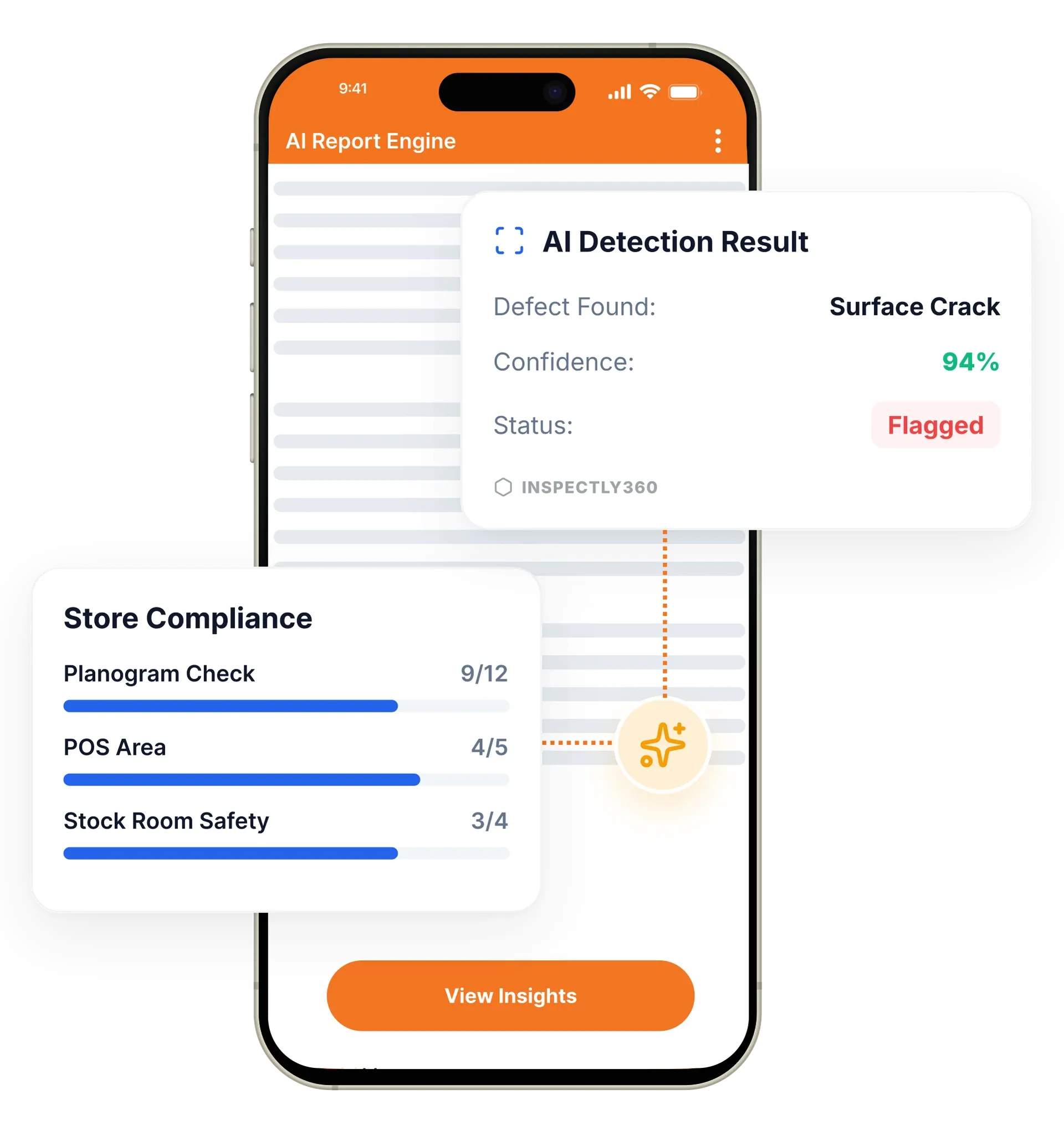
Photo evidence in InspectWrk lets inspectors capture live photos against each checklist item and issue, stamped with the time and location and captured inside the app rather than uploaded from a gallery. It gives managers verifiable proof that work happened and that defects were genuinely fixed, and it removes disputes during audits and coaching. It replaces unproven paper sign-offs and scattered phone photos with one connected, defensible record.
Photo evidence in InspectWrk attaches a live, timestamped photo to the exact checklist item or issue it belongs to. Site managers and operations directors rely on it when a client disputes whether work was done, and when an auditor asks for records. It replaces WhatsApp photo threads and paper sign-offs that prove nothing. Inspectors capture inside the app rather than uploading from a gallery, so the image carries its own time and location, and the evidence travels with the finding into the report.
Staff mark tasks done on paper with no proof, photos sit in personal phone galleries disconnected from the finding, and teams scramble to reconstruct evidence when an auditor asks.
The outcome: Managers get verifiable proof that work happened and that defects were fixed, disputes settle from the record rather than from memory, and audit-ready history is assembled without a night of reconstruction.
Every photo is stamped with the exact time it was taken, so evidence reflects reality.
Location data confirms the photo was taken on site, not uploaded from elsewhere.
Each photo attaches to the specific checklist item or issue it evidences.
Capture a defect and its fix so closure is proven, not assumed.
Photos flow into automated reports with no manual assembly.
Capture evidence in basements and remote sites, then sync when back online.
Example: a finding backed by a timestamped, geotagged photo

Make photo evidence mandatory on the checklist item, so the check cannot be submitted without proof of what was found.
The inspector takes the photo live in the app rather than from a gallery, and the image records the device time and location automatically.
The photo stays tied to the specific item or issue it evidences, so it is never separated from its context.
Capture the repair as a before-and-after pair, so a defect is shown resolved rather than recorded as done.
The evidence flows into the report at full resolution with its time and location intact when a client or auditor asks.
Captures a live before-and-after pair against the item, so a defect and its repair travel with the finding into the report.
Requires photo evidence so vendors prove work was done, then settles a dispute from the image, its time, and its location.
Produces timestamped, geotagged evidence on demand during an ISO 9001 or HACCP audit, tied to the check it belongs to.
Reviews retained evidence against a site and asset to see whether repeat disputes cluster around the same contractor over time.
Photo evidence is stronger when the capture, its location, and its destination are handled by the features around it. These carry proof from the point of work to the report.
Everything your field team does on paper, InspectWrk does automatically: faster, more accurate, and without the admin.
Your inspector takes a photo of any asset or defect. AI reads it and fills the inspection form automatically. No typing. No manual entry.

Inspectors speak their observations in any language. AI transcribes and fills the form in real time. Completely hands-free in the field.

The moment an inspection is submitted, a branded PDF, Excel, or CSV report generates automatically. No manual work. No waiting.

InspectWrk integrates with the tools your team already uses, including Zoho, Microsoft 365, and SAP. No double entry.

Your operations team sees completion rates, open issues, and compliance scores across all sites in real time. No chasing updates.
Without evidence this is one account against another. The contractor says the work was done, the client says the problem is still there, and the paper sign-off proves only that somebody signed a sheet. Vendors self-certifying their own work is the version of this that costs the most, because the first reliable signal is usually a complaint.
Requiring photo evidence changes what closure means. The contractor captures the completed work live inside the app, and the image carries the time it was taken and the location it was taken at. A before and after pair places the original defect beside the repair, so the manager is looking at the fix rather than at an assurance that it happened.
That evidence is attached to the specific finding, not filed loosely, so it can be produced immediately when the question comes up weeks later. The conversation moves from whose account is correct to what the record shows, which also makes coaching easier: a team can be shown precisely what fell short rather than told about it.
When a dispute reaches a formal stage, the same evidence exports into the inspection report at full resolution with its timestamp and location intact, so an insurer or a client sees the proof in context rather than a forwarded screenshot. Because the record is retained against the site and the asset, a pattern of repeat disputes with the same contractor becomes visible over time, which is useful information when a contract comes up for renewal.
“The AI-powered defect detection has changed how we work. Our inspectors capture photos and the system flags issues we'd have missed. It's like having an expert reviewer on every site visit.”
 James ChenPacific Manufacturing Co.
Last updated: