Take a Photo. AI Fills the Form
Your inspector takes a photo of any asset or defect. AI reads it and fills the inspection form automatically. No typing. No manual entry.

Use this pre-shift briefing template to inspect staffing and assignments, guests and service priorities, product and safety notes, changes and incidents, and communication and acknowledgment, scoring each item and raising corrective actions with owners and due dates.

Customize with your logo and company details.
Available on App
Run inspections on iOS and Android - no internet required. Capture photos, annotate defects, and generate reports in the field.
Run the Pre-Shift Briefing Template on the InspectWrk app instead of paper. Inspectors capture photo evidence, work offline, and assign corrective actions on the spot, and the report generates itself the moment the inspection is signed off.

Pre-Shift Briefing Template
Pre-Shift Briefing Template Dashboard
Prioritized actions to keep operations running smoothly today.
Total Revenue
$42,680
+12% compared to last month
Active Projects
128
+8 new this week
Open Requests
56
-15 resolved this week
Operational Target
You're on track to meet this month's operational goal.
Target Task
200 ↑
Complete Task
136 ↑
Pending Task
10 ↓
Monthly Performance
Recent Client Activity
Everything your field team does on paper, InspectWrk does automatically: faster, more accurate, and without the admin.
Your inspector takes a photo of any asset or defect. AI reads it and fills the inspection form automatically. No typing. No manual entry.

Inspectors speak their observations in any language. AI transcribes and fills the form in real time. Completely hands-free in the field.

The moment an inspection is submitted, a branded PDF, Excel, or CSV report generates automatically. No manual work. No waiting.

InspectWrk integrates with the tools your team already uses, including Zoho, Microsoft 365, and SAP. No double entry.

Your operations team sees completion rates, open issues, and compliance scores across all sites in real time. No chasing updates.
Manage every checklist in one connected workspace, capture evidence on mobile at the point of work, and let AI turn field inputs into clear, stakeholder-ready reports in minutes.





See which checklists your team has in progress across every site, jump into the same inspection with one tap, and keep field, supervisor, and back-office views in sync without sending screenshots on WhatsApp.






Every team reports differently. Build the report your operations, quality, or compliance leads actually want to read, share it as a branded PDF, and schedule delivery to the stakeholders who need it.



See completion, pass rate, and recurring findings across every checklist and every site, without pulling spreadsheets together at the end of the month.
Hand-picked templates for your specific industry needs.
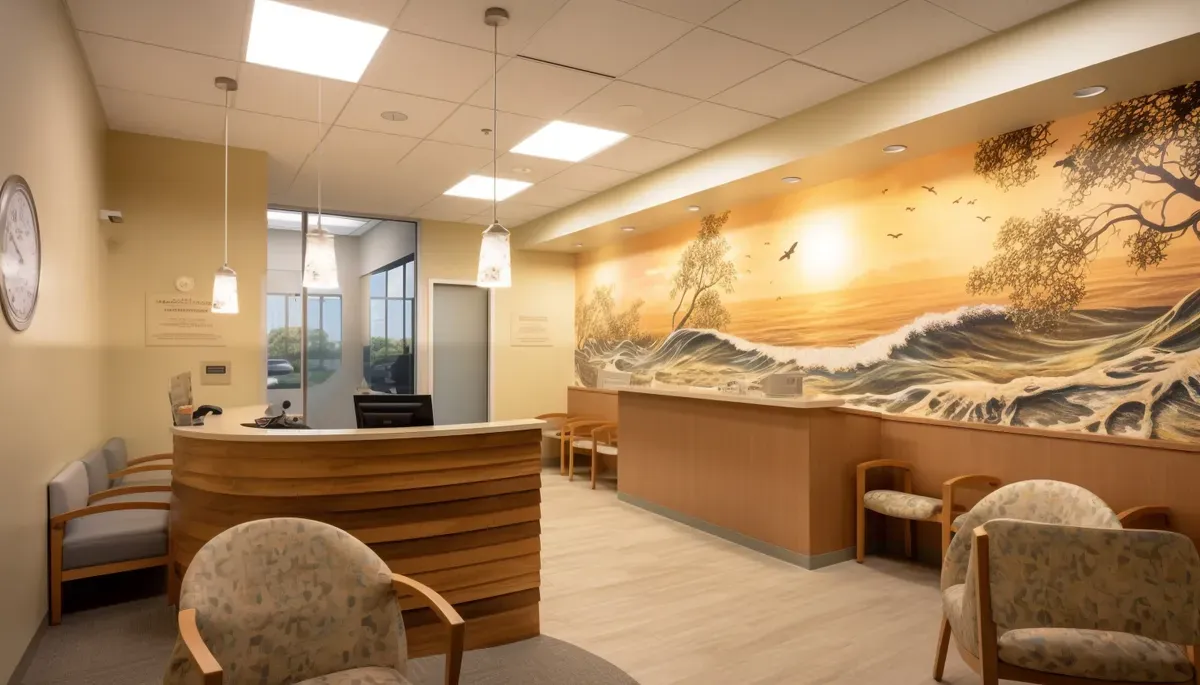
Run the Digital Checklists Template on the InspectWrk app to capture photo evidence per finding and generate audit-ready reports.

Give your Hospitality, Leisure & Wellness team a repeatable process for hospitality inspection software.

A mobile-ready inspection template for hospitality teams focused on hotel inspection software.
It is a short operational briefing before a hospitality shift that aligns the team on staffing, guests, service priorities, safety issues, and changes. It is a briefing workflow, not training or an inspection: it covers staffing and assignments, reservations, occupancy and events, VIP guests, menu or product availability, allergens, safety and facility issues, incidents, operational changes, and special instructions, and ends with questions and acknowledgment. It gets everyone on the same page before service starts, so the shift runs smoothly and small misses are avoided.
Onboarding and training prepare a new or developing employee over hours or days, covering role, standards, and competencies. A pre-shift briefing is a short, frequent alignment before each shift about what matters right now: who is on, who is coming, and what has changed. One builds capability; the other coordinates a specific shift. Keeping them separate matters, because the briefing needs to be quick and current, while training needs depth. This checklist is only the pre-shift briefing.
It is usually run by the shift manager, supervisor, or team lead for the outlet or department, with the team about to start the shift. It is meant to be short, often just a few minutes, focused on the essentials for that shift rather than a long meeting. The checklist keeps it consistent so nothing important is skipped even when time is tight. How it is run and how often depend on your operation; the value is that every shift gets the same quick alignment.
The essentials are usually staffing and assignments, expected guests and any VIPs or events, service priorities, product or menu availability, allergen information, safety, housekeeping, or facility issues, and any operational changes or special instructions. Ending with questions and acknowledgment confirms the team understood. The exact content varies by shift and by outlet; the checklist provides a consistent structure so the important items are covered every time rather than depending on who runs the briefing that day.
In InspectWrk, the briefing runs from a consistent structure on a phone or tablet, so the manager covers staffing, guests, product, safety, and changes every time, and records questions and acknowledgment. Briefings are timestamped and stored, so managers can see that briefings happened, what was communicated, and that the team acknowledged them. It keeps the briefing quick while making sure nothing essential is skipped, and gives a record that safety and service notes were shared before the shift.

A pre-shift briefing checklist for hospitality is a short operational briefing before a shift to align the team on staffing, guests, service priorities, safety issues, and changes. It is a briefing workflow, not a training course or an inspection: it covers staffing and assignments, reservations, occupancy and events, VIP guests, menu or product availability, allergens, safety and facility issues, incidents, operational changes, and special instructions, and ends with questions and acknowledgment. It gets everyone on the same page before service starts.
A pre-shift briefing checklist for hospitality is used to run a short, focused briefing before a shift, in a hotel, restaurant, or venue. Its purpose is to align the team on what matters for the shift ahead: who is on, who is coming in, what to prioritise, and what has changed. It is a quick operational alignment, distinct from onboarding or training, which happen far less often and go much deeper.
Working through staffing and assignments, guests and service priorities, product and safety notes, and changes and incidents, the briefing makes sure the team knows the reservations, VIPs, allergen and safety issues, and any operational changes before service starts, then captures questions and acknowledgment. A consistent briefing prevents the small misses that guests notice and keeps the shift running smoothly.
Without a quick pre-shift briefing, the team starts service missing the details: a large party is not expected, an item is off the menu, an allergen note is not passed on, or a maintenance issue in a room is unknown. Each miss is small, but together they create the complaints and scrambles that define a bad shift.
A pre-shift briefing checklist fixes that by giving every shift the same short alignment on staffing, guests, service priorities, safety, and changes, with questions and acknowledgment, so the team starts service on the same page instead of finding out mid-shift.
A consistent pre-shift briefing sets up a smooth, safe shift:
A complete briefing runs from staffing to acknowledgment:
Set up the shift:
Flag what to watch:
Share what is different:
Confirm understanding:
Run the briefing before the shift starts:
See how this checklist fits into Hospitality, Leisure & Wellness inspection software.
This checklist runs as a mobile inspection app that works fully offline on site, with AI-powered defect detection on every photo. To see it on your own workflows, talk to our team.