

Take a Photo. AI Fills the Form
Your inspector takes a photo of any asset or defect. AI reads it and fills the inspection form automatically. No typing. No manual entry.

InspectWrk uses on-device AI to detect defects, hazards, and anomalies from inspection photos instantly, even with no internet. Give your team a computer-vision second check that never gets tired.
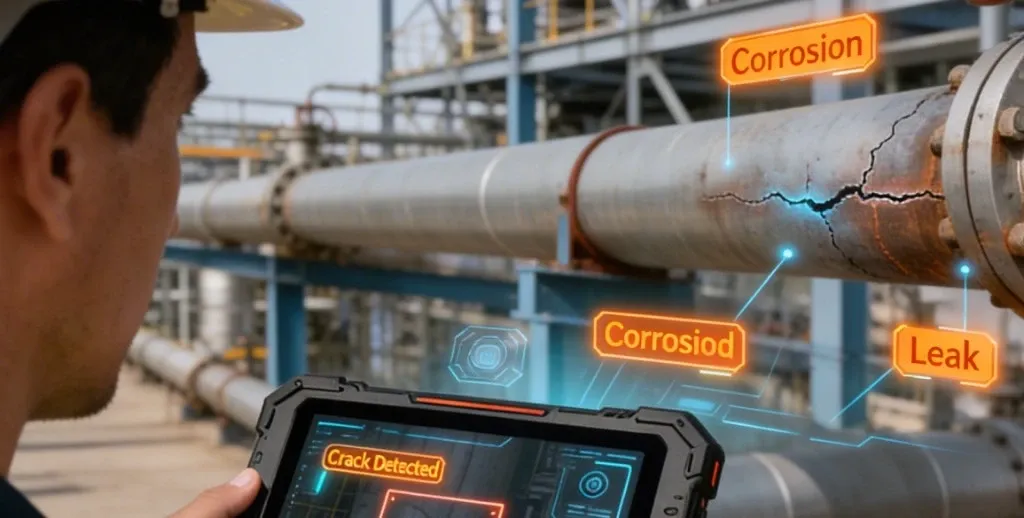
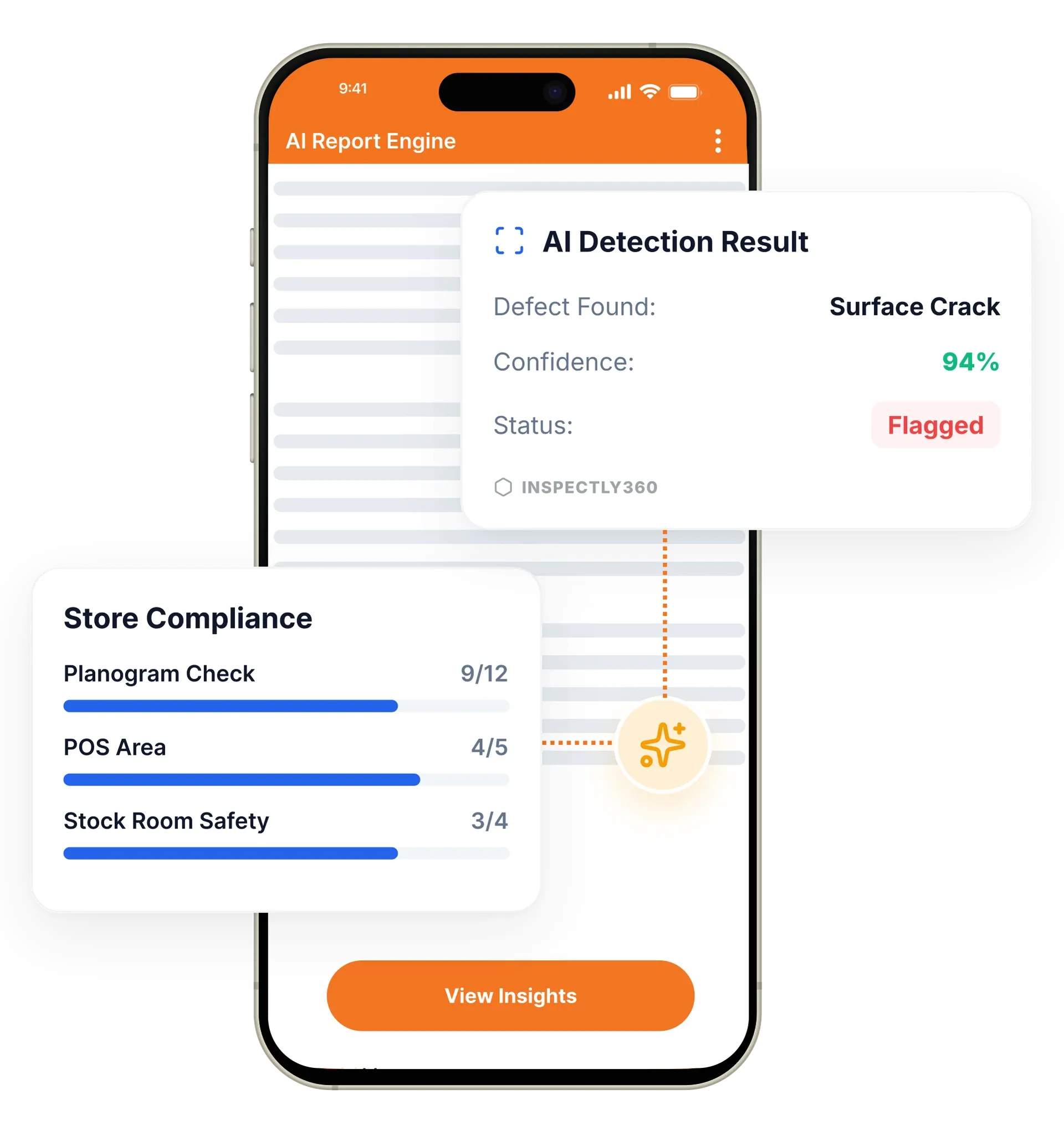
AI-powered inspections in InspectWrk use on-device computer vision to analyse inspection photos and flag defects, hazards, and anomalies. Edge AI detects issues like cracks, corrosion, and missing PPE in seconds, with a confidence score for each finding, and it runs fully offline on the device without replacing the inspector's judgement. It replaces the missed defects that come from fatigue, rushed rounds, and difficult conditions.
AI-powered inspections in InspectWrk add a computer-vision second check to every photo your team captures. Manual visual inspection is limited by fatigue, subjectivity, and inconsistency, and a tired inspector at the end of a long round misses things. InspectWrk's Edge AI analyses photos in real time on the device to detect cracks, corrosion, structural damage, safety hazards, and equipment anomalies. Each detection carries a confidence score and severity classification, so inspectors can prioritise findings quickly. Because the AI runs on-device, it works fully offline with no cloud latency.
Manual visual inspection is limited by fatigue, subjectivity, and inconsistency, and a tired inspector at the end of a long round misses hairline cracks, early corrosion, and missing PPE.
The outcome: This helps teams catch and log issues earlier, before they become incidents, with a consistent second read applied identically at the start of a shift and at the end of it. The qualified inspector still makes the final call.
Computer vision identifies surface cracks, fractures, and structural damage from inspection photos.
AI detects and classifies corrosion severity, rust patterns, surface degradation, and material deterioration.
Automatically flag missing PPE, blocked exits, exposed wiring, and trip hazards relevant to OSHA and ISO 45001.
All AI processing runs on the device. No data is sent to the cloud, so there is no latency or connectivity requirement.
Each detection includes a confidence score and severity classification to help inspectors prioritise findings.
AI reads what the inspector captures and suggests the category, severity, and form fields for one-tap confirmation.
Example: checking an asset photo on a routine round

The technician photographs the asset inside the app as part of the normal checklist item.
The image is analysed locally in seconds, with no upload and no dependency on signal strength.
Each detection returns with a confidence score and a severity classification, so the technician sees which findings need action now and which to log for the next visit.
The AI suggests the category and form fields, and the technician confirms with one tap or overrides it, keeping the inspector as the decision maker.
The confirmed finding attaches to the checklist item with the photo, and a failed item can raise a corrective action against the responsible person without a second data entry step.
Photographs an asset on a routine round and gets an on-device read of cracks or early corrosion with a confidence score before leaving site.
Uses the AI flag for missing PPE, blocked exits, and exposed wiring as a prompt to log and act on hazards during a walk.
Photographs samples on the production line and reviews flagged surface defects and assembly issues before products ship.
Relies on timestamped, scored detections attached to each record to show auditors that safety checks against standards such as OSHA and ISO 45001 happened.
AI findings do not sit on their own. They attach to the photo and the checklist item, then flow into the rest of the inspection record.
Everything your field team does on paper, InspectWrk does automatically: faster, more accurate, and without the admin.
Your inspector takes a photo of any asset or defect. AI reads it and fills the inspection form automatically. No typing. No manual entry.

Inspectors speak their observations in any language. AI transcribes and fills the form in real time. Completely hands-free in the field.

The moment an inspection is submitted, a branded PDF, Excel, or CSV report generates automatically. No manual work. No waiting.

InspectWrk integrates with the tools your team already uses, including Zoho, Microsoft 365, and SAP. No double entry.

Your operations team sees completion rates, open issues, and compliance scores across all sites in real time. No chasing updates.
A maintenance technician on a routine round works to a fixed time window and often finishes in poor light, at height, or in a plant room with no signal. The technician photographs the asset inside the InspectWrk app as normal. Edge AI analyses that photo on the device in seconds and returns what it sees: a hairline crack, early corrosion on a bracket, a blocked exit route. Each detection arrives with a confidence score and a severity classification, so the technician can tell at a glance which findings need action now and which are worth logging for the next visit.
The AI also reads the photo and suggests the category, severity, and form fields, so the technician confirms with one tap instead of typing a description while wearing gloves. Because the processing runs on the device, none of this depends on a connection, and a basement plant room behaves exactly like a site with full signal.
Confirmed findings attach to the checklist item with the photo and annotations. That record flows into the report and the audit trail, and a failed item can raise a corrective action against the responsible person without a second data entry step. The technician leaves site with the round closed rather than a notebook of items to type up later, and the supervisor sees the finding immediately rather than at the end of the week.
“The AI-powered defect detection has changed how we work. Our inspectors capture photos and the system flags issues we'd have missed. It's like having an expert reviewer on every site visit.”
 James ChenPacific Manufacturing Co.
Last updated: