

Take a Photo. AI Fills the Form
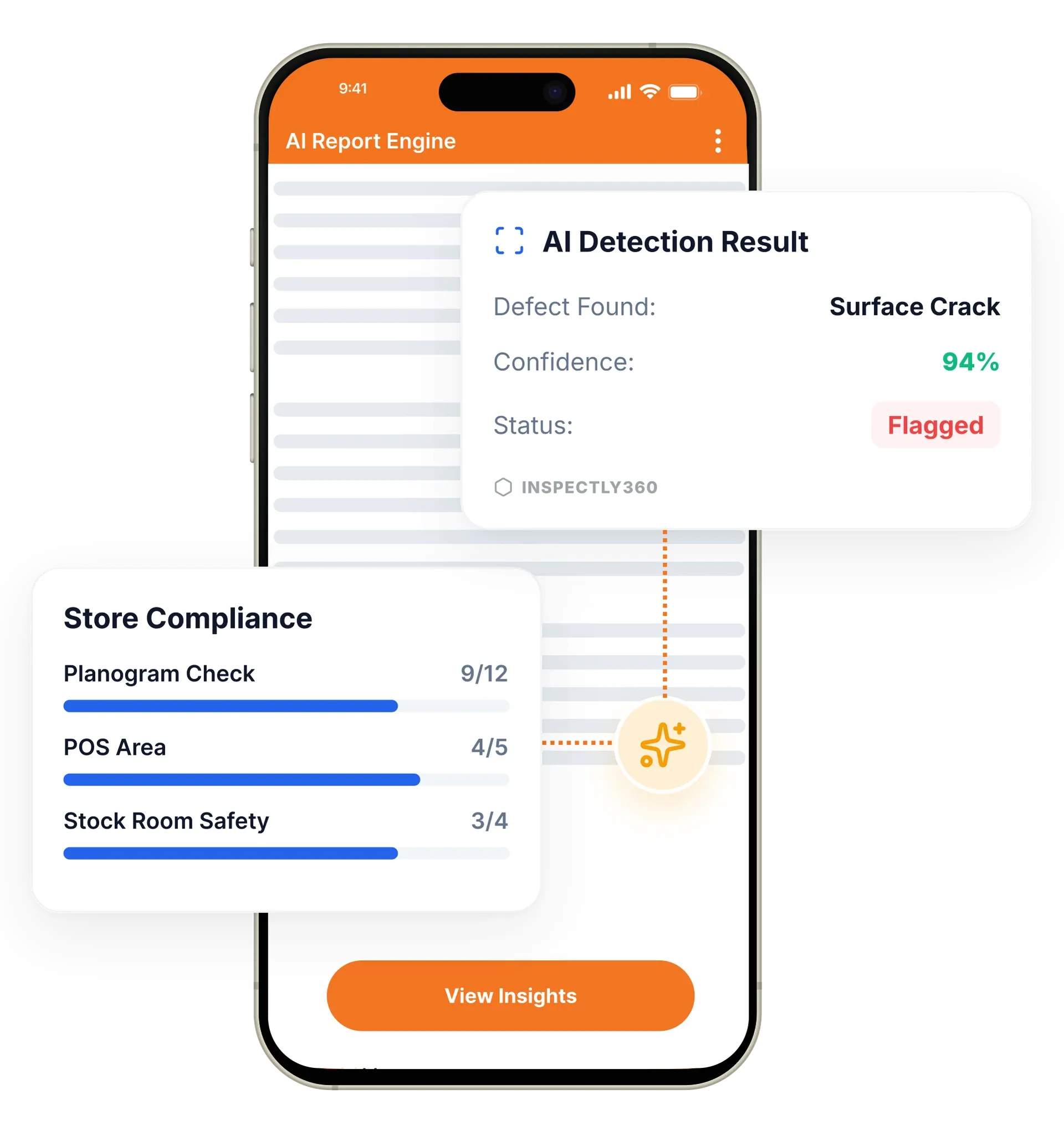
Your inspector takes a photo of any asset or defect. AI reads it and fills the inspection form automatically. No typing. No manual entry.

Ensure excellent cleaning standards with a janitorial inspection app and software: simplify your cleaning audits and inspections with digital checklists, photo evidence, and live scoring.
Cleaning and janitorial inspections in InspectWrk are zone-based quality audits run on a mobile app instead of paper. Inspectors score restrooms, lobbies, kitchens, and high-touch areas against consistent criteria and photograph any shortfall. The app replaces paper audit sheets, clipboard scoring, and WhatsApp photos with one scored digital record and a live dashboard managers see across every site.
Cleaning and janitorial inspections in InspectWrk are digital quality audits that field supervisors run on a phone instead of paper. Cleaning quality is hard to manage without consistent inspection standards, so the platform enables zone-based audits with structured criteria, photo evidence on failed items, and standardized scored outputs. Failed items trigger a corrective action with an owner and due date. Reports build automatically as audits are submitted, and managers see scores across every facility on a live dashboard. The result is better accountability, faster rework, and clear evidence of service quality across all sites.
Audit restrooms, lobbies, kitchens, offices, and high-touch areas with consistent criteria.
Capture photos for failed items so findings are unambiguous and actionable.
Notify the right owner for rework when cleanliness standards are missed.
Schedule daily, weekly, and monthly audits to keep standards consistent.
Track scores over time to identify recurring problem areas and vendor performance.
Generate standardized outputs suitable for client reporting and accountability.

Turn your cleaning SOPs into structured checklists for restrooms, lobbies, kitchens, offices, and high-touch surfaces, with consistent scoring so a pass means the same thing at every site.
Inspectors walk each zone, score items against the standard, and capture a photo wherever a standard is missed. The app works offline in basements and back-of-house areas.
Any shortfall creates a corrective action with an owner and a due date, and routes a notification to the team responsible for the rework.
InspectWrk builds the scored report as the audit is submitted and posts results to a dashboard, so managers compare sites, shifts, and vendors without compiling anything.
Cleaning crews run SOP checklists, daily rounds, and cleaning quality audits from one app. Photo evidence and timestamps prove the round happened, room by room.
Supervisors scan a QR code on a restroom, lobby, or pantry. The right checklist opens, last clean time appears, and any issue is routed to the cleaning team in seconds.
Reports pull every round, photo, and corrective action into a branded PDF for the building owner or client. No one rebuilds the report manually on Friday afternoon.
Immediate reports will give you real-time visibility into your operations, so that you can improve them.
What are the 3 top recurrent issues? Which teams or locations perform the best?
Everything is visible on the inspection software dashboards: understand gaps, follow-up and provide additional training as necessary.
All your team members will have access to a mobile app to quickly spot, report and resolve janitorial or maintenance issues, and always know what to look out for.
Improve team communication with instant reports received by managers, corrective actions immediately assigned to the right people.
Turn cleaning checklists into measurable, trackable workflows across every location and team.
Supervisors inspect high-traffic areas daily and route rework immediately with photo proof.
Compare cleanliness scores across properties and vendors with standardized criteria.
Share consistent inspection outcomes with clients on a set cadence to build trust.
Everything your field team does on paper, InspectWrk does automatically: faster, more accurate, and without the admin.
Your inspector takes a photo of any asset or defect. AI reads it and fills the inspection form automatically. No typing. No manual entry.

Inspectors speak their observations in any language. AI transcribes and fills the form in real time. Completely hands-free in the field.

The moment an inspection is submitted, a branded PDF, Excel, or CSV report generates automatically. No manual work. No waiting.

InspectWrk integrates with the tools your team already uses, including Zoho, Microsoft 365, and SAP. No double entry.

Your operations team sees completion rates, open issues, and compliance scores across all sites in real time. No chasing updates.
A cleaning or janitorial inspection checks whether a site is actually being cleaned to the agreed standard. An inspector walks defined zones, restrooms, lobbies, offices, kitchens, and high-touch surfaces, and records whether each one meets the cleanliness and hygiene criteria set for it. The inspection covers more than visible dirt: it also confirms that cleaning followed the right method, ran on schedule, and used the correct products for each surface.
Inspections can be run by an in-house supervisor or by a contracted cleaning company auditing its own work. Either way the goal is the same: turn a vague sense that the site looks fine into a recorded, scored result that proves the standard was met and shows exactly where it was not.
Paper audits slow everything down. The form is filled by hand, carried back to the office, then typed into a spreadsheet before anyone can act on it. By the time a missed restroom shows up in a report, the shift is over and the client may have already seen it.
Spreadsheets are no better at scale. Scores have to be calculated by hand, spotting a trend means cross-referencing tabs, and one mistyped cell skews the result. Neither method gives a supervisor a live view of which sites were cleaned today and which were not.
The deeper problem is proof. When a client questions a missed area, a handwritten tick in a binder is not evidence. There is no photo, no timestamp, and no record of who signed it off.
InspectWrk replaces the paper round with a structured mobile inspection. The cleaner or supervisor opens the checklist for the site and works through each zone on a phone or tablet.
Before InspectWrk: a cleaner fills a paper checklist, a supervisor spot-checks when they can, and the result is typed up on Friday afternoon. A missed area is found through a client complaint days later, with no evidence of what actually happened.
After InspectWrk: the inspection is completed on a phone, scored instantly, and visible to the manager in real time. Failed items are photographed and assigned for rework before the shift ends, and the client report is generated automatically from the same data.
Setting up a digital cleaning inspection in InspectWrk follows a clear sequence:
Kitchen cleaning needs tighter control than a general office round, because a missed step is a food safety risk. In InspectWrk, teams follow digital checklists for food-prep areas, equipment, storage, and waste zones, with photo evidence required on anything below standard.
Supervisors review submitted checks, confirm the photo evidence, and the report is generated automatically. The same records support hygiene audits and give managers a traceable history of how each kitchen has been cleaned and verified across every location.
Drift happens when each supervisor carries their own idea of what an acceptable restroom or lobby looks like. Zone-based checklists remove most of that by scoring every area against the same written criteria, in the same order, whoever is on shift. Failed items require a photo, so a low score is tied to something visible rather than to an opinion, and two supervisors marking the same area differently becomes a conversation about evidence instead of personality. Because scores are tracked over time, a supervisor who consistently scores far above or below the group stands out in the trend data, which is usually a training issue rather than a discipline one. A score from one site then means the same thing as a score from another, which is what makes portfolio reporting worth anything.
“Rolling out digital checklists across multiple projects gave us instant visibility into recurring safety issues. We now resolve critical findings in hours instead of days.”
 Olivia CarterNorthbridge Infrastructure
Last updated: