

Take a Photo. AI Fills the Form
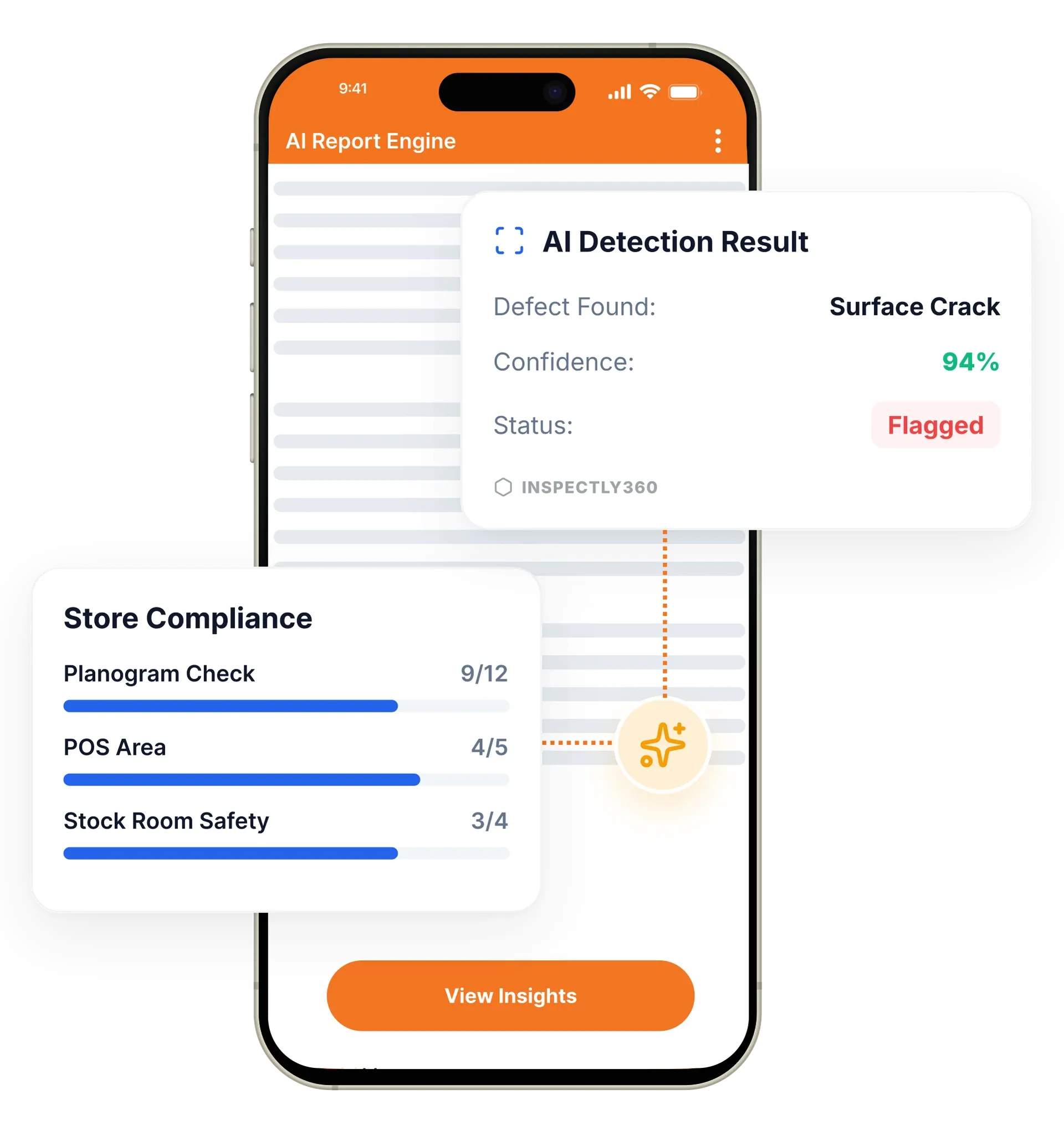
Your inspector takes a photo of any asset or defect. AI reads it and fills the inspection form automatically. No typing. No manual entry.

Build dynamic inspection checklists that adapt to your workflows. Conditional logic, scoring, media capture, and compliance templates, all configurable without writing code.

Digital checklists in InspectWrk are inspection forms built with a drag-and-drop builder, no code required, that go beyond pass and fail with conditional logic, scoring, mandatory photo capture, and digital signatures. Teams build them from scratch or from 500+ compliance templates for standards like OSHA, ISO 9001, and HACCP. They replace paper checklists, loose spreadsheets, and PDF forms that cannot enforce evidence or calculate a score.
The custom inspection checklist builder in InspectWrk is the core of every inspection, and it lets any team create forms without code. This drag-drop checklist and digital form builder replaces simple pass and fail boxes with forms that guide the inspector: conditional logic shows or hides questions based on previous answers, scoring calculates compliance percentages automatically, photo capture points enforce visual evidence, and mandatory fields ensure no critical data is missed. Teams start from 500+ pre-built templates for OSHA, ISO 9001, and HACCP, or build a custom audit template of their own.
Paper and PDF checklists capture answers but cannot require a photo, calculate a score, or refuse an incomplete submission, so someone still checks the returns by hand.
The outcome: Inspections arrive complete and comparable, a site score is ready the moment a check ends, and the audit trail is built as the work happens instead of assembled afterwards.
Build inspection checklists visually with a drag-and-drop form builder. No coding or technical skills required.
Show or hide questions based on previous answers, creating branching flows that adapt to findings in real time.
Configure point values, weights, and scoring rules to calculate compliance percentages and quality scores automatically.
Embed mandatory or optional photo and video capture at any point to enforce visual documentation of critical items.
Access 500+ pre-built templates for OSHA, ISO 9001, NFPA, and HACCP. Clone and customise them for your needs.
Create checklists in any language. Inspectors see forms in their preferred language while data is stored uniformly.
Example: turning a paper HACCP checklist into a scored digital form

A compliance lead opens the drag-and-drop builder and recreates the paper HACCP checklist, ordering the questions the way the inspection actually runs on site.
They set conditional logic so an out-of-range temperature opens follow-up questions, mark photo capture as mandatory on the critical control points, and require a sign-off signature.
Point values are assigned so a critical control point carries more weight than a cosmetic check, and the compliance percentage calculates automatically on submission.
The checklist is assigned to sites and shifts, field teams open it in the mobile app in their own language, and every later edit is versioned for a clean audit trail.
Builds and owns inspection templates without waiting on IT, and changes a question across every site in a single edit.
Configures weighted scoring and non-conformance classification so ISO 9001 audits produce results that are comparable across sites.
Runs the checklist in the mobile app, guided by conditional logic that skips irrelevant questions and enforces photo evidence where it matters.
Compares site scores built on the same checklist, so a drop at one location is a real signal rather than a difference in how two people filled a form.
The checklist builder is where every inspection starts. A published checklist runs offline on the mobile app, enforces photo evidence, hands failed items to corrective actions, and feeds scores into analytics and reports.
Everything your field team does on paper, InspectWrk does automatically: faster, more accurate, and without the admin.
Your inspector takes a photo of any asset or defect. AI reads it and fills the inspection form automatically. No typing. No manual entry.

Inspectors speak their observations in any language. AI transcribes and fills the form in real time. Completely hands-free in the field.

The moment an inspection is submitted, a branded PDF, Excel, or CSV report generates automatically. No manual work. No waiting.

InspectWrk integrates with the tools your team already uses, including Zoho, Microsoft 365, and SAP. No double entry.

Your operations team sees completion rates, open issues, and compliance scores across all sites in real time. No chasing updates.
The starting point is usually a form that already exists on paper or in a spreadsheet. The manager rebuilds it in the drag-and-drop builder, dragging in question types and ordering them the way the inspection actually runs. No code and no developer request is involved, which is what keeps the form under the compliance team's control rather than in an IT queue.
The rebuild is also the moment to fix what paper could never enforce. Mandatory fields stop a form being submitted with the critical question blank. Photo capture points make visual evidence a requirement on the items that matter rather than a habit some inspectors keep and others do not. Conditional logic hides the questions that do not apply, so an inspector answering no to one item is not walked through the twelve follow-ups that only matter on a yes.
For a standard process rather than one unique to the business, the library shortens the work considerably. Teams clone one of the 500+ pre-built templates for OSHA, ISO 9001, NFPA, or HACCP and adjust it to their sites instead of authoring from an empty form. Where teams work across languages, the same checklist is presented to each inspector in their own language while the answers are stored uniformly, so the reporting stays consistent.
“Rolling out digital checklists across multiple projects gave us instant visibility into recurring safety issues. We now resolve critical findings in hours instead of days.”
 Olivia CarterNorthbridge Infrastructure
Last updated: