

Take a Photo. AI Fills the Form
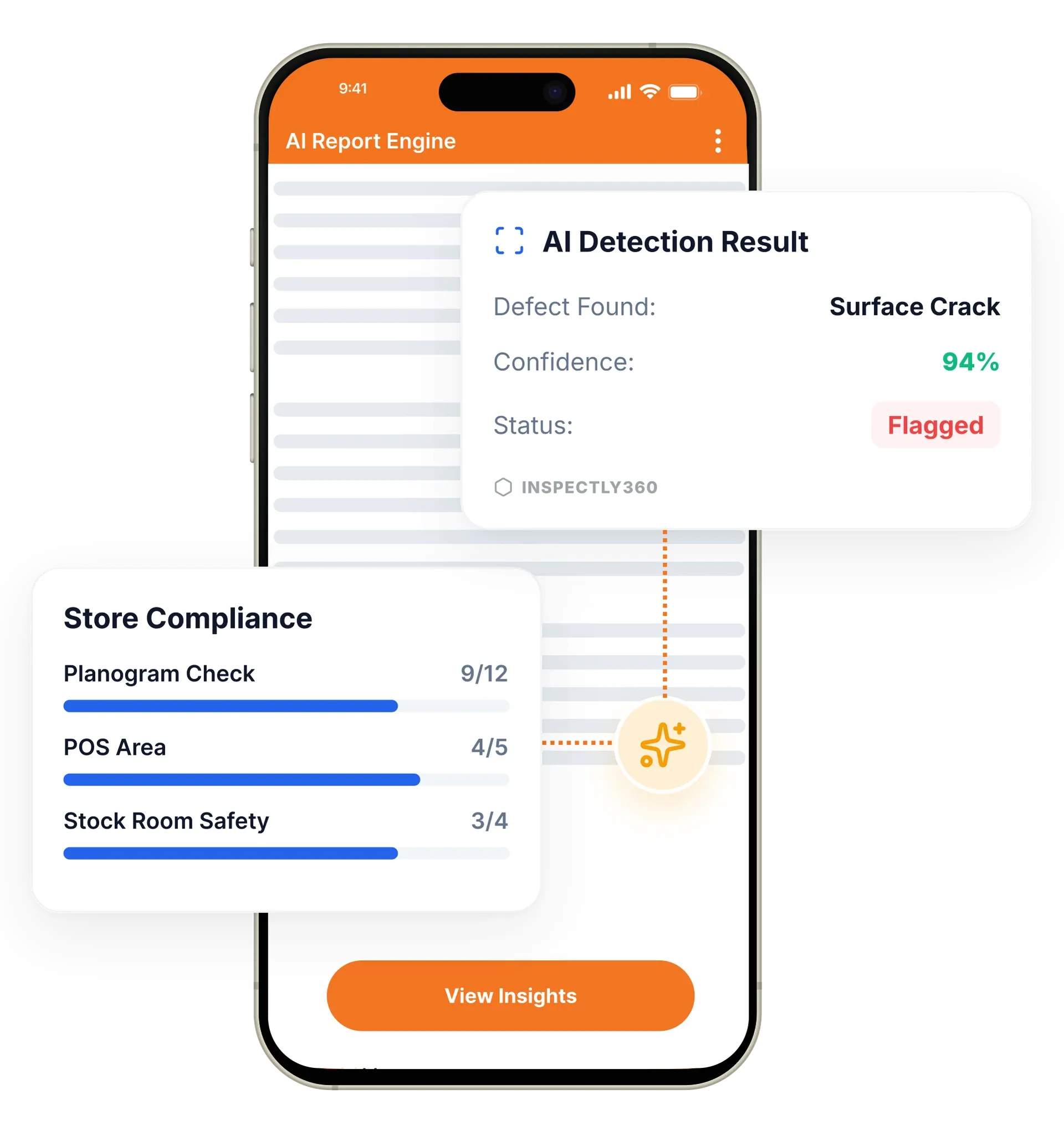
Your inspector takes a photo of any asset or defect. AI reads it and fills the inspection form automatically. No typing. No manual entry.

The most efficient way to conduct digital property inspections, monitor quality and safety across all your real estate assets, and keep clear documentation for every site in your portfolio.
The property inspection app in InspectWrk lets teams run move-in, move-out, and condition inspections on a phone instead of paper. Inspectors use standardized templates, attach photos to findings, and tie records to the right site. It replaces paper condition reports, Excel snag lists, and scattered phone photos with one structured, audit-ready record per property.
The property inspection app in InspectWrk lets real estate and facilities teams run digital inspections on a phone instead of paper. Property inspections require consistency and clear documentation, so the platform standardizes field capture with structured templates, photo evidence on every finding, and repeatable scored outputs. Each record is tied to the right site, and findings route to contractors with an owner and a due date. Reports build automatically for owners, managers, and contractors. The result is faster decisions, fewer disputes over condition, and audit-ready documentation that supports RERA, handover, and tenancy requirements across the whole portfolio.
Use configurable templates for consistent inspections across sites and asset types.
Keep findings tied to the right site with GPS verification and inspection context.
Capture photos for findings so follow-ups are unambiguous.
Plan and repeat inspections on a cadence that fits your portfolio.
Route findings to responsible parties for faster corrective actions.
Generate consistent outputs for owners, managers, and contractors.

Configure inspection templates for each asset class, covering move-in, move-out, condition, and handover checks, while keeping consistent structure and scoring across the portfolio.
Field teams complete inspections on a phone, capture photos at the exact checklist item, and the record is GPS-stamped to the correct site. The app works offline at remote properties.
Any failed item creates a corrective action with an owner and a due date, and routes a notification to the contractor or maintenance team responsible for the fix.
InspectWrk builds a structured report as each inspection is submitted, ready for owners, managers, and contractors, with photos and findings included.
Efficient digital checklists
Property managers, owners, and contractors run move-in, move-out, snag, and PPM checks on mobile. AI photo analysis catches cracks, leaks, and finishing defects on the spot.
When a defect is logged, the contractor sees the job, fixes it, and uploads proof. The inspector verifies the close. No more self-certified vendor sign-offs.
Teams inspect multiple properties with standardized templates and consistent outputs.
Capture condition with structured fields and photo evidence for accountability.
Send clear findings to contractors and verify resolution with evidence.
Everything your field team does on paper, InspectWrk does automatically: faster, more accurate, and without the admin.
Your inspector takes a photo of any asset or defect. AI reads it and fills the inspection form automatically. No typing. No manual entry.

Inspectors speak their observations in any language. AI transcribes and fills the form in real time. Completely hands-free in the field.

The moment an inspection is submitted, a branded PDF, Excel, or CSV report generates automatically. No manual work. No waiting.

InspectWrk integrates with the tools your team already uses, including Zoho, Microsoft 365, and SAP. No double entry.

Your operations team sees completion rates, open issues, and compliance scores across all sites in real time. No chasing updates.
A property inspection app lets a property manager, facilities manager, or realtor run real estate inspections on a phone or tablet instead of paper. It carries the inspection checklist, captures photos and notes against each item, and produces the report automatically once the inspection is submitted.
InspectWrk covers the full inspection: scheduling the visit, completing a structured checklist on site, attaching photo evidence of any defect, and sharing a finished report with owners, tenants, or contractors. Because the data is digital from the first tap, there is no second round of typing it into a spreadsheet later.
Pen-and-paper inspections create three recurring problems. Handwriting gets misread, so the data is wrong before it is even filed. Paper forms are hard to update and easy to lose, and a portfolio that must keep historical records ends up with a filing cabinet nobody can search. And every paper inspection still has to be written up by hand, which can take hours per property.
Spreadsheets organise the data slightly better but solve none of this. Updating them means re-keying, photo handling is clumsy, and the final report still has to be assembled manually before it can be shared.
InspectWrk standardises field capture so every inspection across a portfolio is run the same way:
Schedule the visit and choose the template for the property type, or build a custom checklist. Review the property's past inspection reports and open maintenance requests so you arrive with full context.
Work through the checklist, marking items complete, incomplete, or in need of repair. Photograph and annotate damage or maintenance issues. Assign urgent repairs to a contractor without leaving the app.
The report is generated automatically from the checklist, photos, and notes, then shared with the relevant stakeholders. Corrective actions are tracked on the dashboard until each one is confirmed closed.
A single platform handles the full range of real estate inspections:
Yes. InspectWrk lets you configure templates per asset class, so an apartment, a commercial unit, and a residential building can each have their own inspection structure while keeping consistent scoring and reporting across the portfolio. A move-in inspection can differ from a move-out or condition check, but the data still rolls up the same way. This means inspectors capture exactly the right detail for each property type without juggling separate tools. Managers get comparable results across the whole portfolio, and the team can configure your existing paper inspection forms into digital templates for you at no extra cost.
“Rolling out digital checklists across multiple projects gave us instant visibility into recurring safety issues. We now resolve critical findings in hours instead of days.”
 Olivia CarterNorthbridge Infrastructure
Last updated: