

Take a Photo. AI Fills the Form
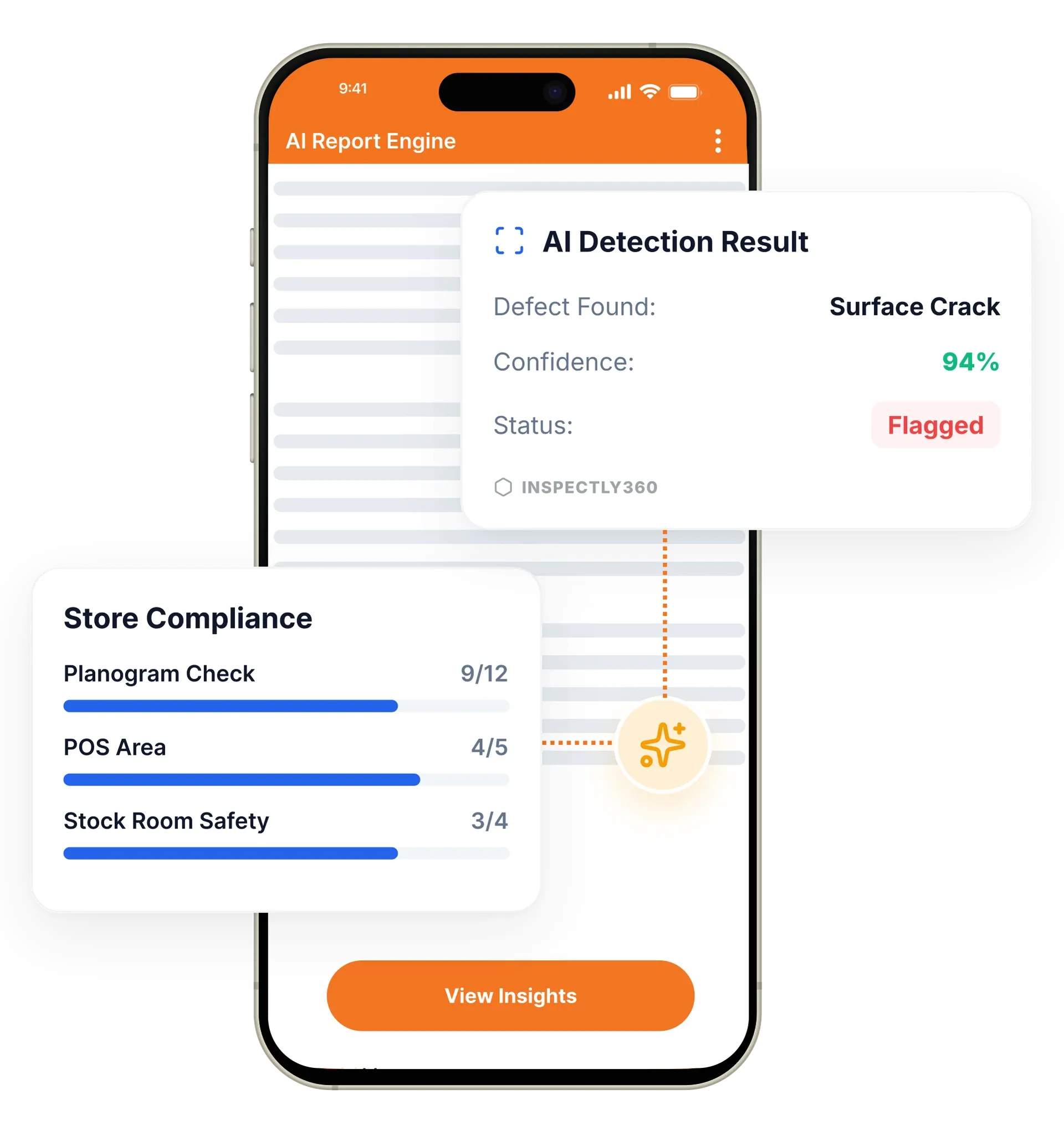
Your inspector takes a photo of any asset or defect. AI reads it and fills the inspection form automatically. No typing. No manual entry.

GPS-verified inspections prove your team was on location. Define geofenced boundaries around sites, buildings, or zones, and track inspection locations in real time for full accountability.
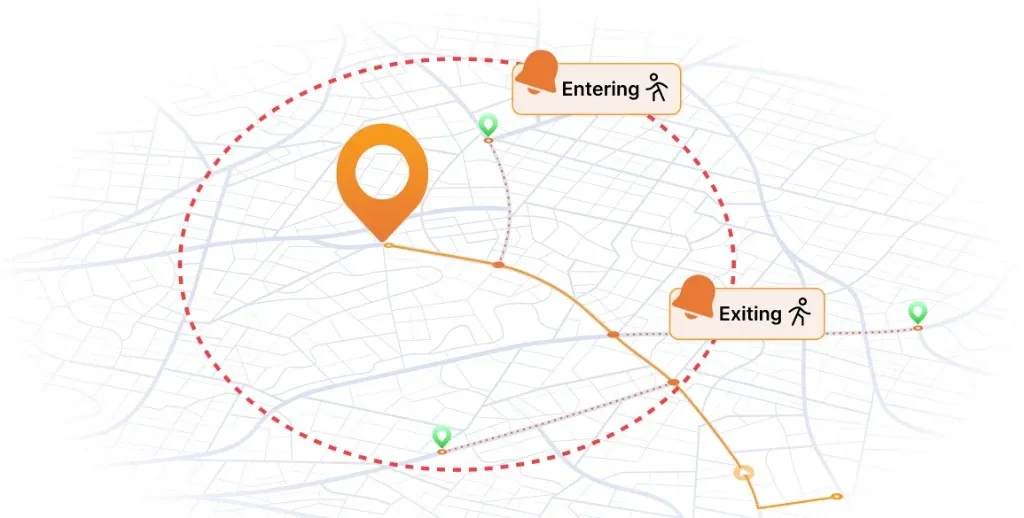
Geofencing in InspectWrk draws a digital boundary around any site, building, or zone, then verifies that inspectors are inside it before they submit. Every inspection, photo, and note is GPS-stamped, and the system can auto check-in inspectors and load the right checklist when they arrive. It replaces blind trust and self-certified rounds with real proof that an inspection happened at the correct location.
Geofenced inspection submission in InspectWrk gives operations teams proof that inspections happen where they should. When you manage inspections across many sites, you cannot personally confirm an inspector was on location. Geofencing draws digital boundaries around any site, building, or zone, then verifies inspector presence with GPS audit verification before a submission is accepted. Every location-based inspection, photo, and note is timestamped and GPS-stamped, building a complete location audit trail. The right geofence checklist loads automatically on arrival, so accountability and the correct workflow come together.
Across many sites a manager cannot personally confirm an inspector was on location, and a completed form can be filled from a car park, a cafe, or a desk.
The outcome: Managers get a location audit trail that proves where each inspection happened, the right checklist loads automatically on arrival, and boundaries stay cached so verification still works offline.
Define custom boundaries around any site, building, floor, or zone, using circles, polygons, or custom outlines.
Every inspection record, photo, and note is tagged with precise GPS coordinates and a timestamp.
The app detects when inspectors enter or leave a geofenced site and logs arrival and departure times.
The right checklist loads automatically when inspectors arrive. Site-specific templates open without manual selection.
A global location directory holds every site, building, and zone, so you manage inspection requirements across the portfolio.
A visual map shows all inspection activity across the portfolio, filterable by date, status, inspector, or compliance score.
Example: submitting an inspection inside the site boundary

A manager defines a boundary around the site, building, floor, or zone using a circle, polygon, or custom outline in the location directory.
When the inspector enters the geofence, the app logs the arrival time and loads the site-specific checklist without manual selection.
Every checklist entry, photo, and note is tagged with GPS coordinates and a timestamp as it is recorded.
On submit, the app compares the device position against the boundary for that location and accepts the inspection or flags the discrepancy for review.
The submission appears on the portfolio map, where a manager can spot a site that reports completion but shows no on-site activity.
Filters the activity map by date, status, inspector, or compliance score to see where inspections happened across the portfolio without calling each site manager.
Defines a geofence around each building so the correct checklist loads on arrival and GPS stamps confirm every inspection was completed on-site.
Completes daily walk-through checklists only while physically inside the site boundary.
Uses the GPS audit trail of coordinates and timestamps as location proof for regulatory records.
Geofencing supplies the location half of the picture and pairs with the features that capture and act on the work done inside the boundary.
Everything your field team does on paper, InspectWrk does automatically: faster, more accurate, and without the admin.
Your inspector takes a photo of any asset or defect. AI reads it and fills the inspection form automatically. No typing. No manual entry.

Inspectors speak their observations in any language. AI transcribes and fills the form in real time. Completely hands-free in the field.

The moment an inspection is submitted, a branded PDF, Excel, or CSV report generates automatically. No manual work. No waiting.

InspectWrk integrates with the tools your team already uses, including Zoho, Microsoft 365, and SAP. No double entry.

Your operations team sees completion rates, open issues, and compliance scores across all sites in real time. No chasing updates.
Without location proof, a director is trusting a submission. A completed form says the work was done, but it cannot show where it was filled in, which is the gap that self-certified rounds and rubber-stamped checklists sit in. Geofencing closes that gap by checking the inspector's position against the site boundary before the submission is accepted.
Each site, building, or zone carries its own boundary, and every inspection, photo, and note is stamped with GPS coordinates and a time. The app logs arrival and departure automatically as an inspector enters or leaves a geofenced site, so the record shows when someone was on location and for how long, not only that a form was returned.
Across a portfolio, the activity map turns that into one view. The director filters by date, status, inspector, or compliance score and sees where inspections happened rather than calling each site manager to ask. A site that reports completion but shows no on-site activity becomes visible immediately instead of at the next audit.
“Rolling out digital checklists across multiple projects gave us instant visibility into recurring safety issues. We now resolve critical findings in hours instead of days.”
 Olivia CarterNorthbridge Infrastructure
Last updated: