

Take a Photo. AI Fills the Form
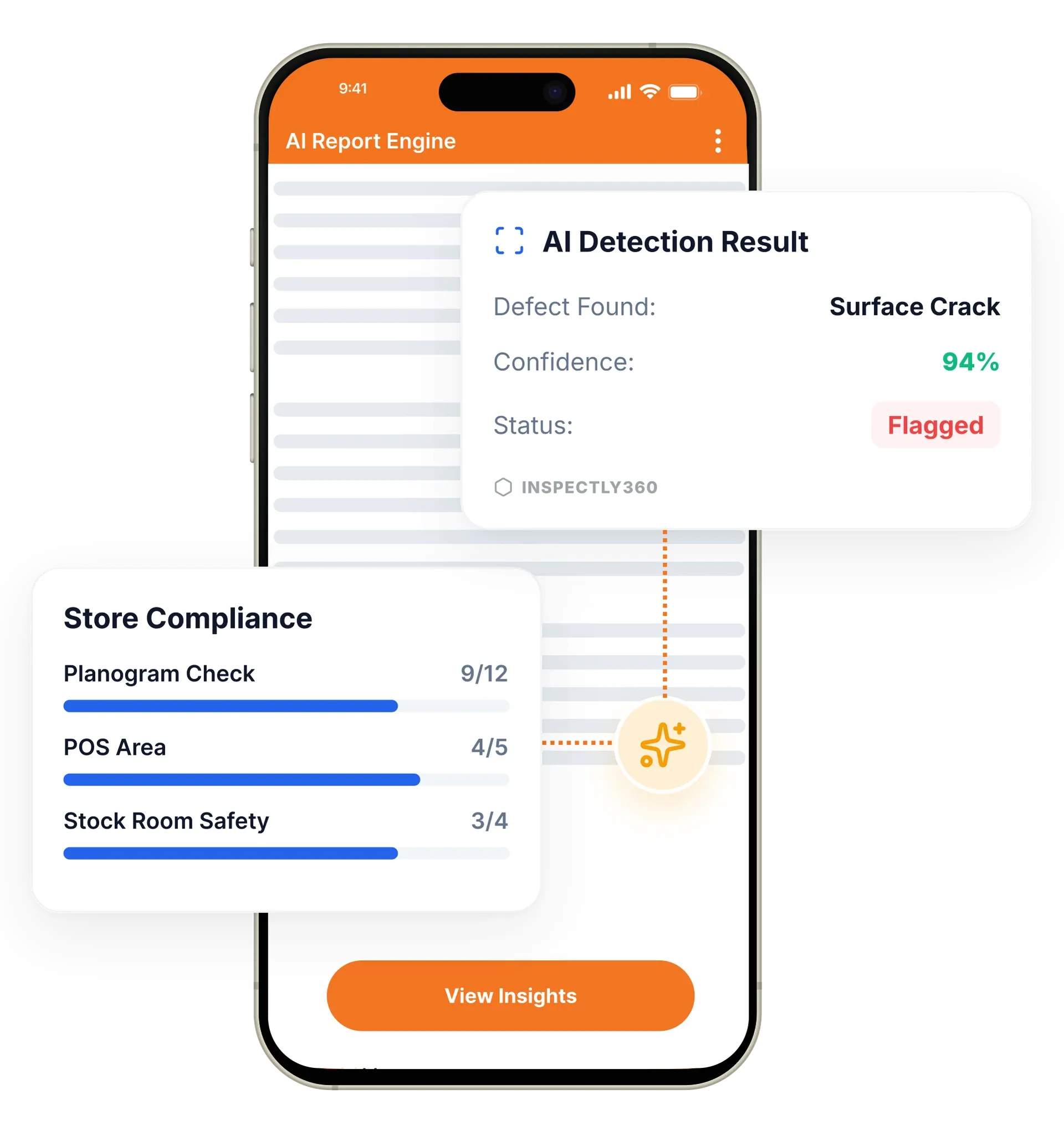
Your inspector takes a photo of any asset or defect. AI reads it and fills the inspection form automatically. No typing. No manual entry.

Role-based access control, team hierarchies, performance tracking, and workload management. Everything you need to run inspection teams from ten to ten thousand users across multi-site operations.

User and team management in InspectWrk gives operations teams role-based access control, team hierarchies, and performance tracking for inspection programmes of any size. It replaces shared logins, spreadsheet rosters, and uncontrolled access with granular permissions and scoped data visibility. Inspectors, managers, contractors, and clients each see only what their role allows.
User and team management in InspectWrk gives operations teams the structure and control to run inspection programmes across many roles, regions, and sites. Role-based access control sets exactly who can create templates, run inspections, view which sites, and manage other users. Team hierarchies mirror your organisation, performance metrics track completion and quality, and certification tracking keeps unqualified staff off restricted assignments. The platform replaces shared logins and spreadsheet rosters with a system that scales from a single site to thousands of users without losing control of who can see and do what.
Shared logins and spreadsheet rosters give everyone the same access, so a contractor sees the whole project and an unqualified inspector can be assigned restricted work.
The outcome: Each person sees only the sites and actions their role allows, unqualified assignments are blocked automatically, and every access change is logged.
Granular permissions for admin, manager, inspector, viewer, and custom roles control who can create, edit, approve, and view inspection data.
Organise users into teams, departments, regions, and business units so the structure mirrors your organisation.
Track individual and team performance: completion rates, average inspection time, quality scores, and compliance adherence.
View and balance inspection assignments across team members to prevent overload and ensure fair task distribution.
Track inspector certifications, training completions, and qualification expiry, and auto-restrict assignments when a certification lapses.
Manage multiple business units, subsidiaries, or client accounts from a single platform instance.

Set what each role can do, from admin and manager to inspector, viewer, contractor, and client, using granular permissions for every action.
Organise users into teams, departments, regions, and business units so the structure matches how your operation actually works.
Restrict each user to the sites and reports relevant to them, so a regional manager sees their region and an inspector sees their tasks.
Monitor completion rates and quality scores, and let the platform block assignments when an inspector's required certification expires.
Configures role-based permissions and scopes each user to the sites and actions their role allows.
Runs multiple business units from a single instance while keeping their data and permissions separate.
Sees only their own region's sites and inspectors, without a separate account for each location.
Checks certification expiry and the user audit trail before an audit so restricted work stays with qualified staff.
User and team management underpins the rest of the platform. The roles and scopes you set here decide who can schedule, who can integrate, and who sees which analytics.
Everything your field team does on paper, InspectWrk does automatically: faster, more accurate, and without the admin.
Your inspector takes a photo of any asset or defect. AI reads it and fills the inspection form automatically. No typing. No manual entry.

Inspectors speak their observations in any language. AI transcribes and fills the form in real time. Completely hands-free in the field.

The moment an inspection is submitted, a branded PDF, Excel, or CSV report generates automatically. No manual work. No waiting.

InspectWrk integrates with the tools your team already uses, including Zoho, Microsoft 365, and SAP. No double entry.

Your operations team sees completion rates, open issues, and compliance scores across all sites in real time. No chasing updates.
The problem with shared logins is that access is all or nothing. A contractor who needs to submit evidence against three assigned items ends up seeing every inspection, every site, and every client on the account, which is a commercial and a data protection issue before it is an operational one.
Role-based access control scopes what each person sees rather than granting a blanket account. A contractor role can view only assigned inspections and submit evidence against them, with no visibility of the wider project data. Permissions cover creating templates, running inspections, viewing specific sites, and managing other users, and custom roles exist for the cases that do not fit admin, manager, inspector, or viewer.
Scoping follows the structure of the organisation. Team hierarchies mirror departments, regions, and business units, so a regional manager sees their region without needing a separate account per site, and the multi-tenant architecture keeps subsidiaries or client accounts apart on one instance. Every access change is recorded in the user audit trail, which is what a compliance review asks for.
“Rolling out digital checklists across multiple projects gave us instant visibility into recurring safety issues. We now resolve critical findings in hours instead of days.”
 Olivia CarterNorthbridge Infrastructure
Last updated: