

Take a Photo. AI Fills the Form
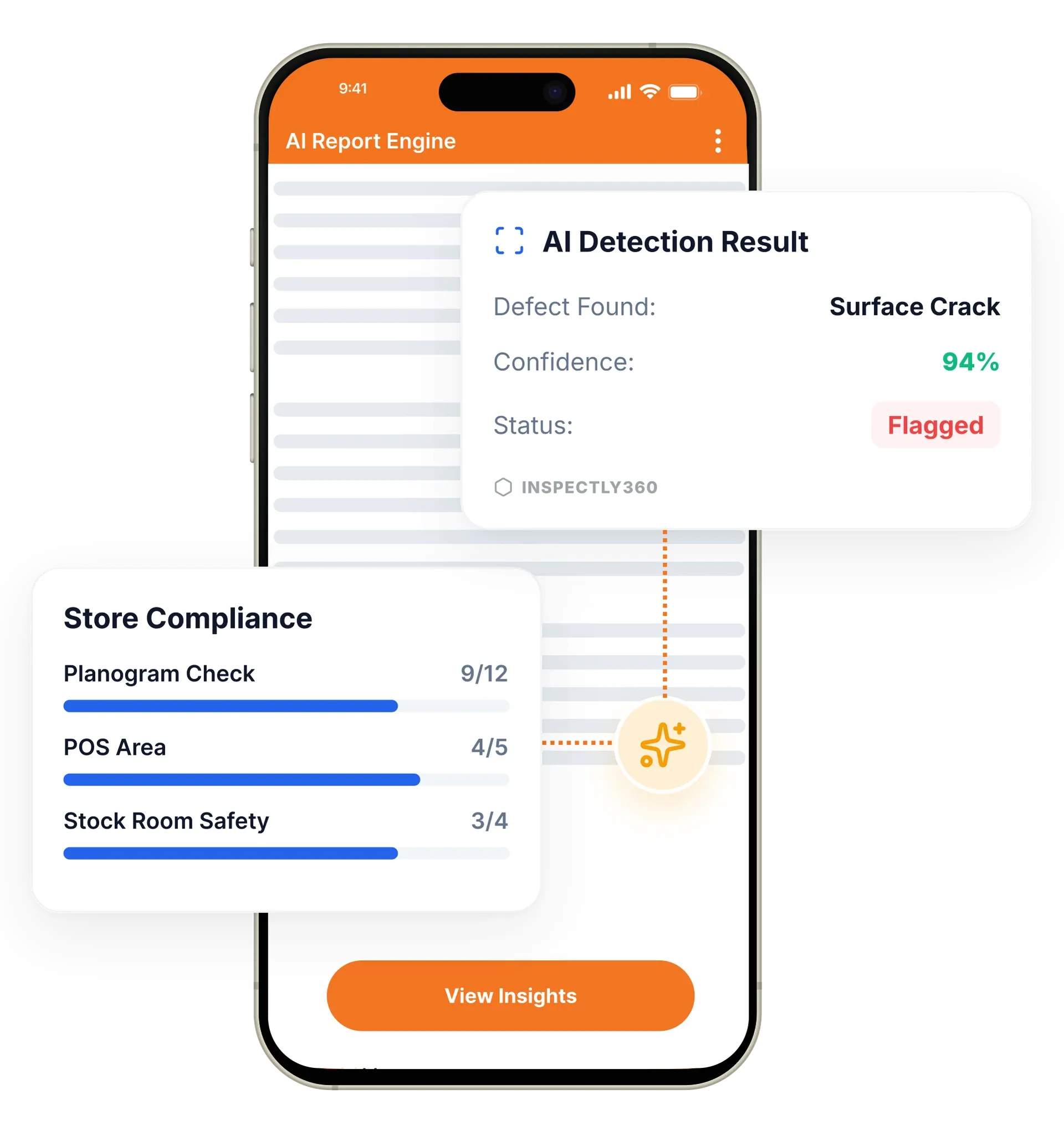
Your inspector takes a photo of any asset or defect. AI reads it and fills the inspection form automatically. No typing. No manual entry.

Connect InspectWrk to the software your operations team already runs: ERP, CMMS, project management, and BI tools. An open REST API and webhooks support custom workflows and two-way data exchange.
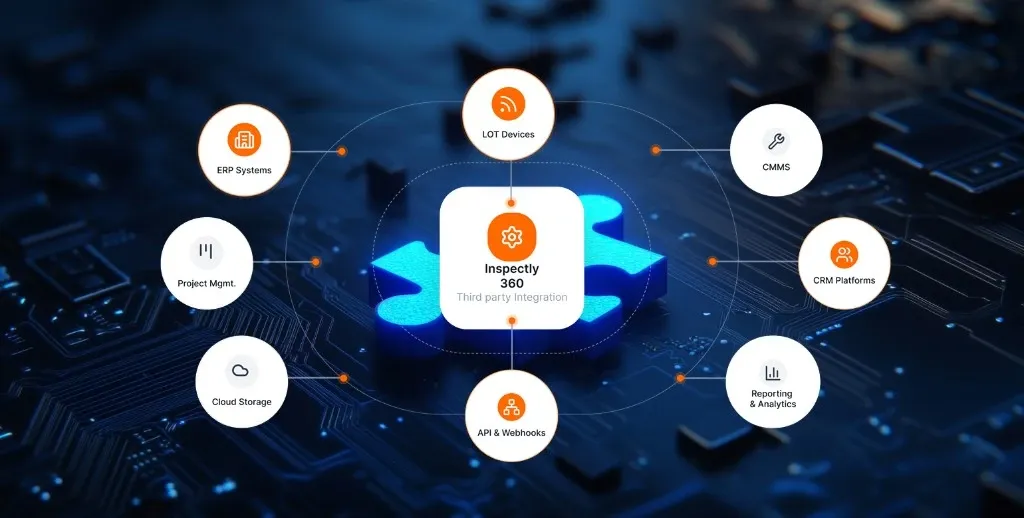
Integrations in InspectWrk connect inspection data to the systems your team already uses, including ERP, CMMS, project management, and BI tools. A REST API, webhooks, pre-built connectors, and SSO replace manual data entry and exporting between systems. Inspection findings can create work orders, sync with project tools, and feed dashboards without anyone retyping data.
Inspection software integrations in InspectWrk connect your inspection data to the rest of your tech stack so it never lives in a silo. Results flow to and from ERP systems, CMMS platforms, project tools, and BI dashboards, with a REST API, webhooks, and pre-built connectors. A Zoho Desk integration turns a failed inspection into a support ticket, a Microsoft 365 audit trail and OneDrive inspection storage keep reports where your team already works, and DocuSign compliance captures signatures on sign-off. Operations teams stop rekeying data and start working from one connected ecosystem.
A coordinator exports inspection results and retypes them into the ERP or CMMS by hand, so data drifts out of sync and two reports show different numbers.
The outcome: A failed inspection raises a work order without rekeying, connected systems reflect the same current data, and access follows the same directory that controls everything else.
A full-featured REST API lets you create inspections, retrieve data, manage users, and configure templates programmatically.
Real-time event notifications push to your systems, triggering workflows when inspections complete, issues open, or deadlines approach.
Out-of-the-box integrations connect InspectWrk to ERP, CMMS, and project management platforms and other enterprise systems.
Single Sign-On works with Azure AD, Okta, Google Workspace, OneLogin, and SAML 2.0 compatible identity providers.
Export inspection data in CSV, JSON, XML, and Excel formats, and schedule automated exports to external systems.
Zapier and Microsoft Power Automate support let teams build inspection workflows without writing any code.
Example: an inspection finding flows to a connected system

An inspector marks an item as failed on the mobile app, and the finding carries its photos, location, and severity.
The event pushes to the connected system in real time, with no export and no overnight batch in between.
A pre-built connector creates the job in the ERP or CMMS the team already runs, so nobody retypes the finding.
Equipment records flow the other way, so the data an inspector sees on site matches the maintenance system.
Connects the identity provider through SSO and SAML so joiners and leavers are handled by the same directory that governs other systems.
Sets the webhook rule that turns a failed inspection into a work order in the CMMS without anyone rekeying data.
Schedules CSV and JSON exports into the reporting process the business already runs rather than integrating live.
Integrations connect inspection data to the systems around it. The events it moves come from inspections, and the access it governs is the same one that controls your other tools.
Everything your field team does on paper, InspectWrk does automatically: faster, more accurate, and without the admin.
Your inspector takes a photo of any asset or defect. AI reads it and fills the inspection form automatically. No typing. No manual entry.

Inspectors speak their observations in any language. AI transcribes and fills the form in real time. Completely hands-free in the field.

The moment an inspection is submitted, a branded PDF, Excel, or CSV report generates automatically. No manual work. No waiting.

InspectWrk integrates with the tools your team already uses, including Zoho, Microsoft 365, and SAP. No double entry.

Your operations team sees completion rates, open issues, and compliance scores across all sites in real time. No chasing updates.
The trigger is the failure itself. When an inspector marks an item as failed, a webhook fires in real time and the connected system receives the finding with its photos, location, and severity already attached. Nobody reads the inspection and re-enters it, which is where detail is normally lost and where the delay between finding a fault and raising the job comes from.
In practice that means the work order appears in the ERP or CMMS the team already runs, through a pre-built connector rather than a custom build. Asset records flow back the other way, so the equipment data an inspector sees on site matches the maintenance system rather than drifting from it. A Zoho Desk integration handles the same pattern for teams that route failures as support tickets.
The value is in what stops happening. There is no export, no overnight batch, and no window where the inspection says failed while the maintenance system shows nothing outstanding. The same event can also open a punch list item in a project tool for construction teams, so the finding reaches whichever system owns the fix.
“Rolling out digital checklists across multiple projects gave us instant visibility into recurring safety issues. We now resolve critical findings in hours instead of days.”
 Olivia CarterNorthbridge Infrastructure
Last updated: