

Take a Photo. AI Fills the Form
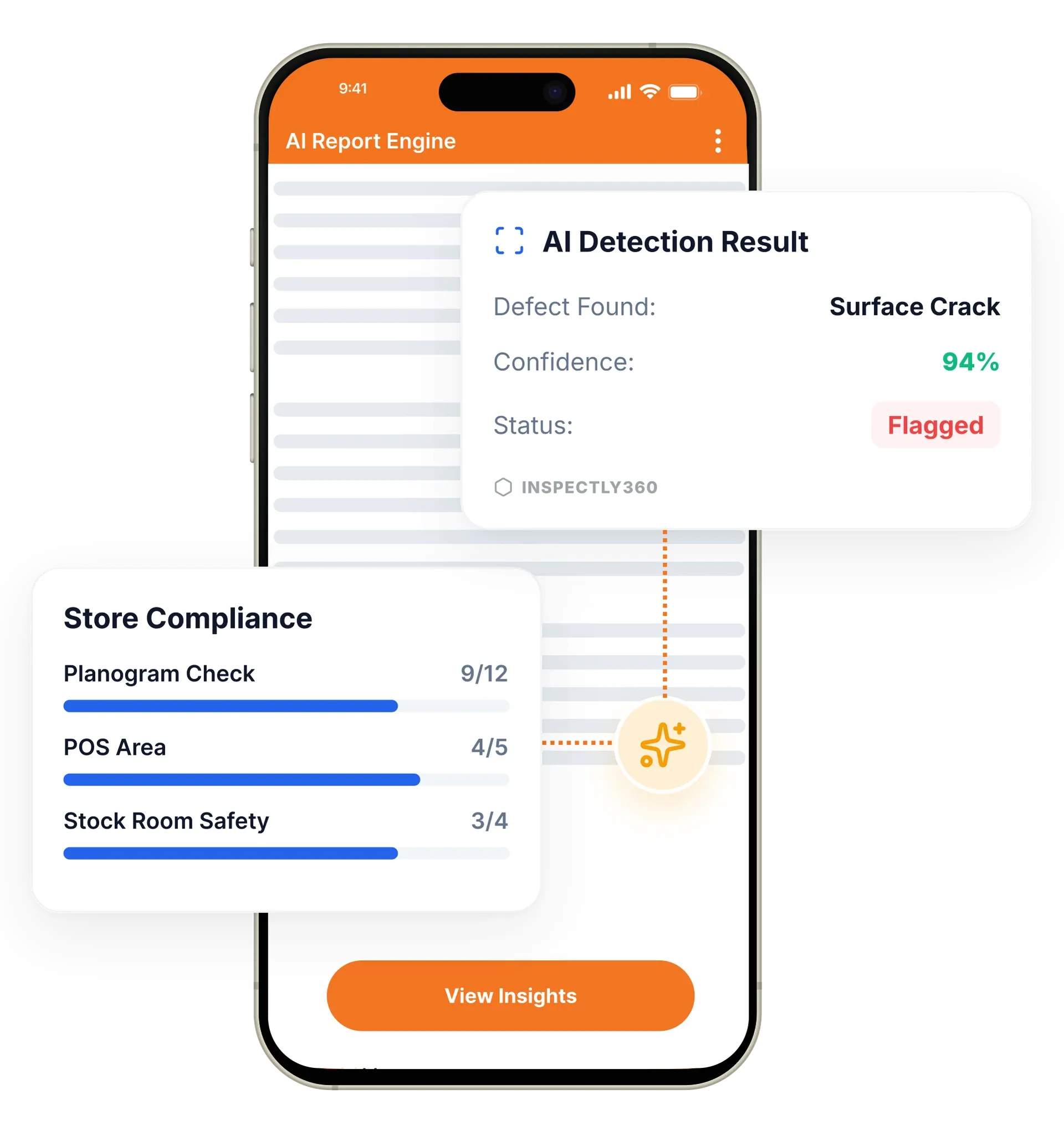
Your inspector takes a photo of any asset or defect. AI reads it and fills the inspection form automatically. No typing. No manual entry.

Automate your inspection cadence with recurring schedules. Set repeating inspections, auto-assign to the right team members, and track completion in real time so every critical check happens on time.
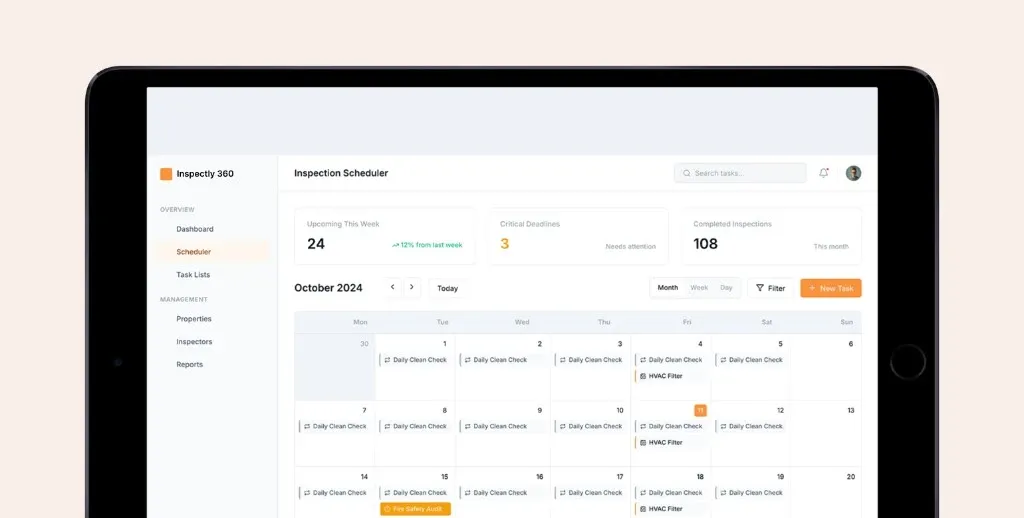
Inspection scheduling in InspectWrk automates the entire inspection cadence, from daily safety walks to annual compliance audits. It replaces wall planners, shared calendars, and manual reminder chasing with recurring schedules, automatic assignment, and escalation rules. Managers stop tracking deadlines by hand, and overdue inspections raise an alert instead of slipping through unnoticed.
Scheduled inspection software in InspectWrk automates the full inspection cadence for operations teams, from daily safety walks to annual compliance audits. You set recurring schedules and PPM scheduling for assets, the platform assigns each inspection to a qualified inspector, and it escalates overdue items automatically. As recurring audit software it repeats the right check on the right cycle, and the inspection reminder app pushes each assignment to the field team with the correct checklist and site. Managers see completion status in real time, so no inspection is missed because someone forgot to schedule it.
Inspection due dates tracked on a wall planner or shared spreadsheet get missed because nobody noticed they were due, leaving a compliance gap.
The outcome: Every required check happens on cadence, managers see live completion status across sites, and a missed deadline raises an alert instead of slipping through unnoticed.
Schedule inspections on any cadence: daily, weekly, monthly, quarterly, or custom intervals. Complex patterns like every third Tuesday are supported.
Automatically assign inspections to specific inspectors or rotate them across teams based on availability and qualifications.
A full calendar view with drag-and-drop rescheduling shows all upcoming, in-progress, and completed inspections at a glance.
Automated reminders for upcoming inspections and multi-level escalation alerts to managers for overdue items.
View team capacity and balance inspection assignments across inspectors to prevent burnout and ensure fair distribution.
A dashboard of all upcoming compliance deadlines uses colour-coded urgency indicators for at-risk and overdue inspections.
Example: a facilities team schedules recurring inspections and monitors completion

Set the cadence for each inspection type and site, from a daily safety walk to an annual audit, including irregular patterns such as every third Tuesday.
Auto-assignment sends each inspection to a qualified inspector or rotates it across the team based on availability and qualification.
Each assignment reaches the inspector as a push notification carrying the correct site and the correct checklist.
Colour-coded urgency shows what is at risk and what is overdue, so attention goes to the exceptions rather than a roll call of everything running normally.
An inspection past its deadline raises a multi-level escalation to a supervisor and manager on a configured schedule, without anyone tracking the clock.
Sets recurring schedules for daily walks and annual audits, then watches the deadline dashboard for at-risk and overdue items.
Assigns recurring asset inspections to qualified inspectors and reschedules by drag-and-drop when a site closes.
Reviews the workload view to balance assignments fairly across inspectors before the week is committed.
Confirms the next twelve months of compliance activity is covered from one calendar spanning every site.
Scheduling decides what runs and who runs it, then hands off to the tools that carry the work and report on it.
Everything your field team does on paper, InspectWrk does automatically: faster, more accurate, and without the admin.
Your inspector takes a photo of any asset or defect. AI reads it and fills the inspection form automatically. No typing. No manual entry.

Inspectors speak their observations in any language. AI transcribes and fills the form in real time. Completely hands-free in the field.

The moment an inspection is submitted, a branded PDF, Excel, or CSV report generates automatically. No manual work. No waiting.

InspectWrk integrates with the tools your team already uses, including Zoho, Microsoft 365, and SAP. No double entry.

Your operations team sees completion rates, open issues, and compliance scores across all sites in real time. No chasing updates.
The cadence is defined once rather than remembered every week. A daily safety walk, a weekly equipment check, a monthly compliance audit, and an annual certification each get their own recurring schedule, including irregular patterns such as every third Tuesday. Once set, the schedule generates the work rather than the manager reissuing it.
Assignment happens automatically. Each inspection goes to a specific inspector or rotates across the team based on availability and qualification, so a check that requires a competent person is not handed to whoever happens to be free. The assignment reaches the field team as a push notification carrying the correct site and the correct checklist, which removes the step where an inspector opens the wrong template.
Chasing is replaced by escalation. Reminders go out ahead of an inspection, and an item that passes its deadline raises a multi-level escalation to a manager rather than sitting unnoticed. The deadline dashboard colour-codes what is at risk and what is overdue, so the manager's attention goes to the exceptions instead of to a roll call of everything that is running normally.
“Rolling out digital checklists across multiple projects gave us instant visibility into recurring safety issues. We now resolve critical findings in hours instead of days.”
 Olivia CarterNorthbridge Infrastructure
Last updated: