

Take a Photo. AI Fills the Form
Your inspector takes a photo of any asset or defect. AI reads it and fills the inspection form automatically. No typing. No manual entry.

A photo says a thousand words, but an annotated photo says exactly what was found and where. Mark up defects, highlight concerns, and add context directly on inspection photos.
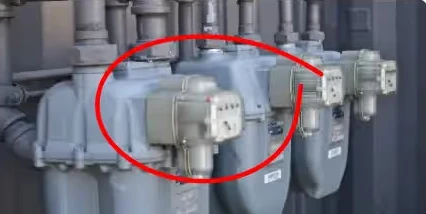
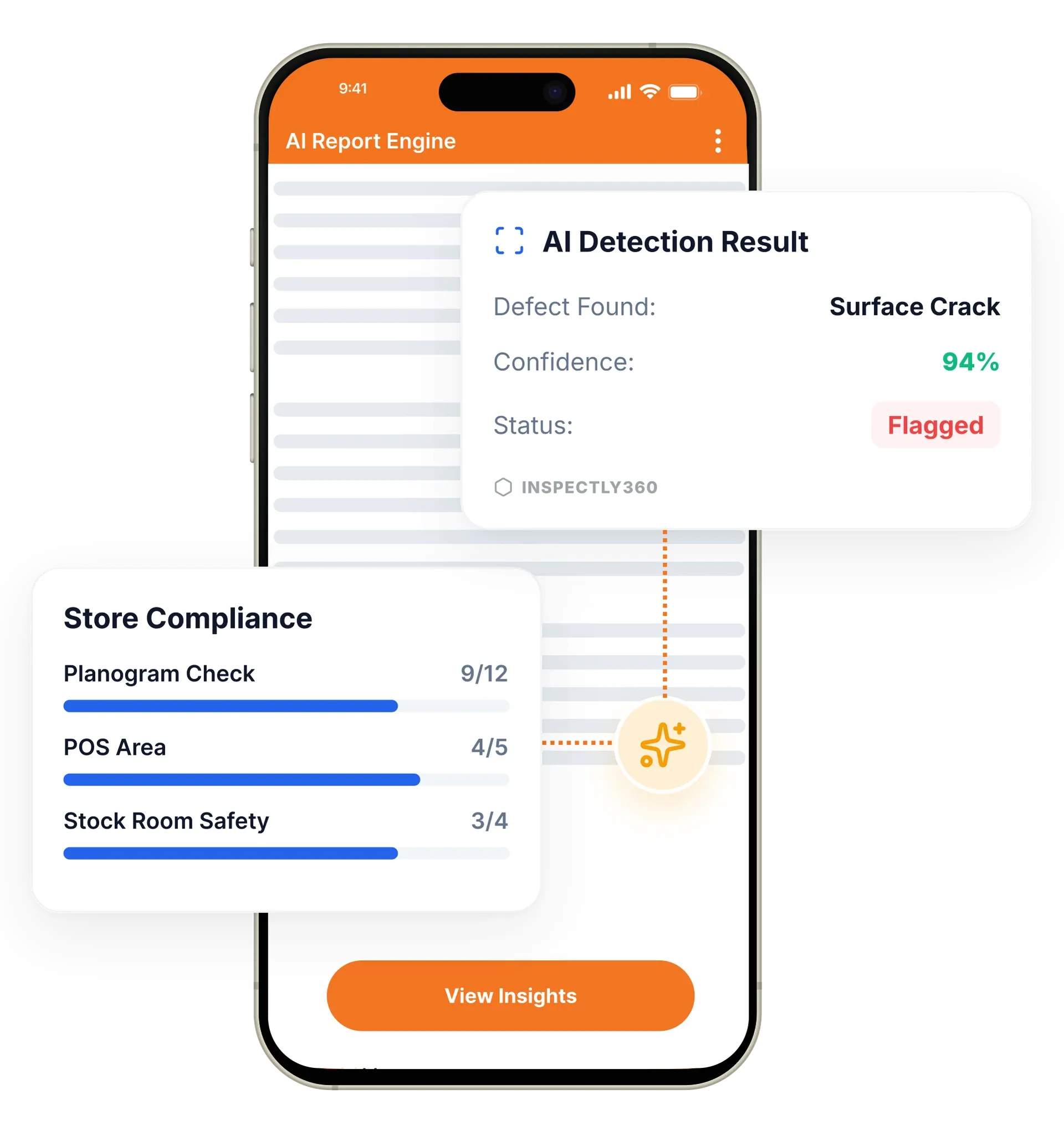
Image annotations in InspectWrk let inspectors draw directly on inspection photos to mark defects, add measurements, and explain what was found. Inspectors use arrows, callouts, text labels, and severity colours, then the annotated photo attaches to the inspection item automatically, and it works offline. It replaces vague, context-free photos and the back-and-forth messages needed to explain which crack, which pipe, or which fixture is the problem.
Photo annotation in InspectWrk turns raw inspection photos into clear evidence. A photo without context creates confusion: was the crack in the beam or the column? Inspectors draw directly on the image to highlight defects, mark exact locations, add measurements, and apply severity colours, so every annotated photo explains itself. Each image attaches automatically to the checklist item, issue, or corrective action, so the evidence is easy to audit later and ready for client reports and regulators.
A photo without context creates confusion: which crack, the beam or the column, how urgent? That guesswork produces clarifying messages and return visits that cost more than the first trip.
The outcome: Anyone reading the report sees exactly what was found and where, the contractor fixes the right defect the first time, and a before-and-after comparison exports at full resolution to close the loop for a client report or regulator.
Draw arrows, circles, rectangles, and freehand annotations on photos for precise defect documentation.
Add text labels and callout boxes directly on photos to pinpoint exact issues and add context.
Colour-code annotations by severity: critical in red, major in orange, minor in yellow, for instant visual triage.
Side-by-side views of the initial finding and the corrective action, showing clear evidence of resolution.
Annotated images attach automatically to the relevant inspection items, issues, and corrective actions.
Export annotated photos at full resolution for professional reports, client deliverables, and regulatory submissions.

The inspector takes a photo of a defect, asset, or area of concern with the integrated camera inside the InspectWrk app.
The inspector draws arrows, circles, and measurement lines, adds text callouts, and applies a severity colour to show exactly what the issue is and where.
The annotated photo attaches automatically to the relevant checklist item, issue, or corrective action with a timestamp and GPS location.
The marked-up photo appears in the PDF report and stays with the issue, so re-inspection can compare it against the corrective action evidence.
Draws a measurement line across a concrete crack, adds a severity callout, and attaches the marked-up photo to a punch list item with a responsible party assigned.
Annotates water stains and damaged fixtures with arrows and labels so the maintenance team knows exactly what to fix.
Circles equipment damage, notes wear patterns, and builds before-and-after documentation showing repair completion.
Opens a job and sees which defect and how serious it is from the markup, without a clarifying message back to the field.
Annotation is the layer that turns a raw photo into evidence, and that evidence travels with the record into the rest of the platform.
Everything your field team does on paper, InspectWrk does automatically: faster, more accurate, and without the admin.
Your inspector takes a photo of any asset or defect. AI reads it and fills the inspection form automatically. No typing. No manual entry.

Inspectors speak their observations in any language. AI transcribes and fills the form in real time. Completely hands-free in the field.

The moment an inspection is submitted, a branded PDF, Excel, or CSV report generates automatically. No manual work. No waiting.

InspectWrk integrates with the tools your team already uses, including Zoho, Microsoft 365, and SAP. No double entry.

Your operations team sees completion rates, open issues, and compliance scores across all sites in real time. No chasing updates.
A bare photo of a wall shifts the work of interpretation onto whoever receives it. The contractor arriving on site has to decide which crack was meant, whether it was the beam or the column, and how urgent it is. That guesswork is what produces a return visit, and the second visit costs more than the first because the access, the lift, or the shutdown has to be arranged again.
Annotation removes the ambiguity at the point of capture. The inspector draws an arrow or circle on the defect itself, adds a text callout naming it, and records a measurement where size decides the response. Severity colour-coding then does the triage visually: critical in red, major in orange, minor in yellow. The contractor opens the job and sees exactly which crack, which pipe, and how serious, without a single clarifying message.
The annotated image attaches automatically to the checklist item, issue, or corrective action, so it travels with the job rather than sitting in a phone gallery. When the fix is complete, a before and after comparison places the original finding beside the corrective action side by side. That is the evidence that closes the loop, and it exports at full resolution for the client report or the regulatory submission.
“The AI-powered defect detection has changed how we work. Our inspectors capture photos and the system flags issues we'd have missed. It's like having an expert reviewer on every site visit.”
 James ChenPacific Manufacturing Co.
Last updated: