

Take a Photo. AI Fills the Form
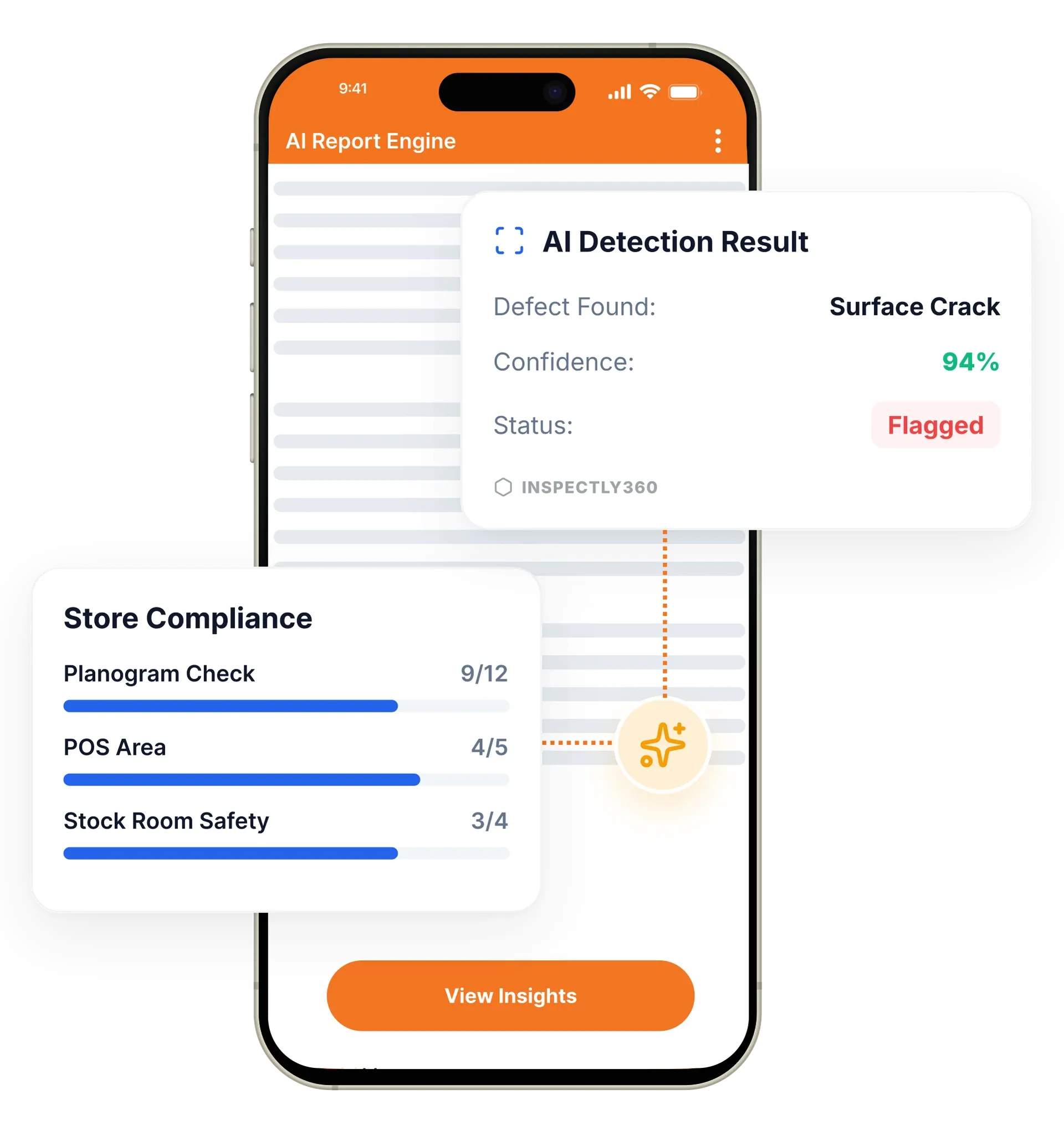
Your inspector takes a photo of any asset or defect. AI reads it and fills the inspection form automatically. No typing. No manual entry.

Let field teams complete inspections by talking, so findings are captured hands-free and forms fill themselves while the inspector keeps working.

Voice AI in InspectWrk lets inspectors complete forms by speaking instead of typing. The app transcribes what they say, understands the finding, and fills the right fields, so field teams capture more detail in less time and keep their hands free for the work. It replaces slow on-site typing and thin, rushed notes with fast, detailed, structured records.
Voice AI removes the biggest friction in field inspections: typing on a phone while trying to do the actual job. In InspectWrk, an inspector can speak a finding aloud, and the AI transcribes it, interprets what was said, and fills the appropriate fields on the form. This lets technicians and ground staff, who are often wearing gloves, holding equipment, or working at height, record what they see without stopping to tap out text. The result is richer, more consistent detail captured in less time, because people can say far more than they will patiently type.
Typing findings on a phone is slow and awkward on site, time pressure leads to thin and vague notes, and staff wearing gloves or working at height struggle to record anything.
The outcome: Field teams capture richer, more consistent detail in less time and keep their hands free for the work, and spoken input arrives as structured data that feeds scoring, dashboards, and reports without a cleanup pass.
Complete form fields by talking, so inspectors capture findings hands-free.
AI interprets what is said and routes it into the right fields.
Record far more detail in less time than typing allows on a phone.
Pairs with photo-based AI so a finding is captured by voice and image together.
Designed for real site conditions where typing is slow and awkward.
Spoken input becomes clean, consistent data rather than free-text notes.
Example: an inspector speaks a finding hands-free

The inspector opens the checklist on the mobile app, ready to complete it by voice, by typing, or by a mix of both.
Instead of tapping out text, the inspector describes what they see against the item, hands free while still working on the asset.
The app transcribes the speech, interprets the finding, and routes it into the right fields as clean, structured data.
The transcription and the fields it filled are shown on screen, so anything misheard in a noisy plant room can be corrected on the spot.
The inspector confirms the detail, adds photos where useful, and submits, with a report generated automatically.
Has technicians speak findings against an asset while still working on it, so detail is captured without stopping to type.
Records hazards aloud during a safety walk, capturing more detail across the round than typing allows.
Relies on spoken input landing in the same category, severity, and location fields across inspectors, so records stay comparable.
Reviews findings from a mixed-language workforce that reflect who inspected carefully rather than who writes English well.
Voice capture works alongside the features that run the inspection and hold its output. These pick up the finding once it has been spoken.
Everything your field team does on paper, InspectWrk does automatically: faster, more accurate, and without the admin.
Your inspector takes a photo of any asset or defect. AI reads it and fills the inspection form automatically. No typing. No manual entry.
Inspectors speak their observations in any language. AI transcribes and fills the form in real time. Completely hands-free in the field.

The moment an inspection is submitted, a branded PDF, Excel, or CSV report generates automatically. No manual work. No waiting.

InspectWrk integrates with the tools your team already uses, including Zoho, Microsoft 365, and SAP. No double entry.

Your operations team sees completion rates, open issues, and compliance scores across all sites in real time. No chasing updates.
The constraint in the field is not willingness, it is hands. A technician holding a tool, wearing gloves, or working at height cannot type a description without stopping the job, putting something down, and often removing a glove. What usually happens instead is a short note, or no note until later.
Speaking removes that interruption. The technician describes what they see against the item they are working on, and the AI transcribes it, interprets the finding, and fills the appropriate fields on the form. The work does not pause, and the inspector does not have to hold the observation in their head until they reach somewhere they can write it down.
The quality difference shows in the detail. People will say far more than they will patiently type, so a finding captured by voice tends to carry the context that a typed note omits: what was heard, where exactly it was, what condition the surrounding equipment was in. Voice can be mixed with typing and with photo capture on the same inspection, so the inspector uses whichever is fastest for each item.
The same hands-free flow holds in the languages field teams actually speak. Voice input handles English, Hindi, Marathi, and others, so an inspector describes a finding in the language they think in rather than translating it into form English first. Because the interpretation runs against the checklist item on the device, the flow keeps working on sites with weak or no signal, and the record syncs when the connection returns.
“The AI-powered defect detection has changed how we work. Our inspectors capture photos and the system flags issues we'd have missed. It's like having an expert reviewer on every site visit.”
 James ChenPacific Manufacturing Co.
Last updated: